AI video generation, RSS and Evergreen revamped, API enhancements
AI Video Generation
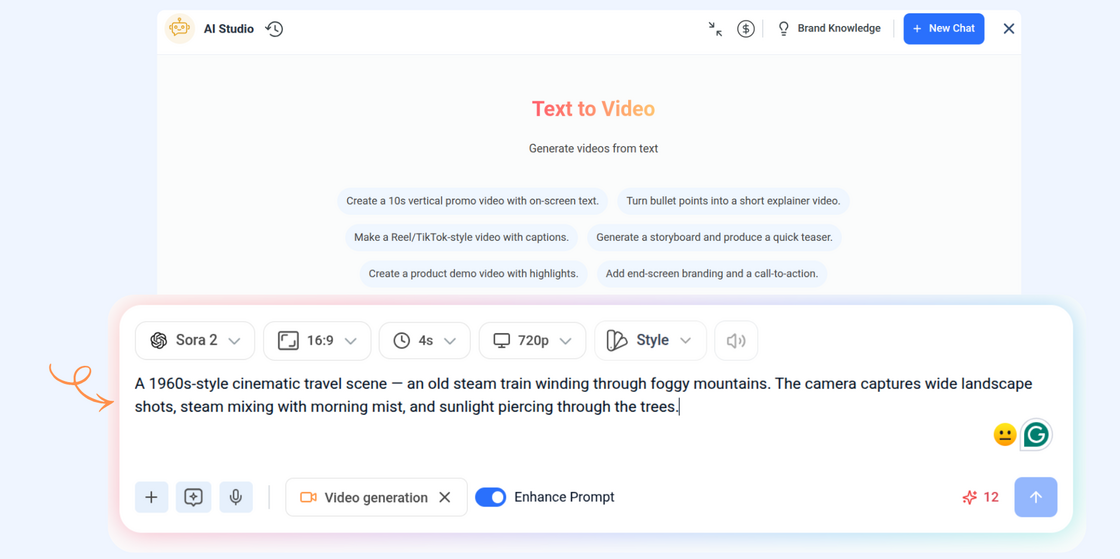
The new AI Video Generation tool transforms your ideas into cinematic, scroll-stopping videos in seconds. Whether you’re promoting a product, telling a story, or explaining a feature — simply type your prompt, and let AI bring your vision to life.
Here’s what’s new:
- Instant Creation – Generate stunning, professional-quality videos directly from your ideas or ready-made templates — no editing skills needed.
- Multiple AI Providers – Choose from a variety of AI video models including Wan, Minimax, Google, OpenAI, and Seedance to match your creative goals.
- Seamless Publishing – Once generated, instantly open your video in the Composer to craft your post or view it in your Media Library for later use.
For more details, Check: AI Video generation
AI Image Generator — Powered by New Models
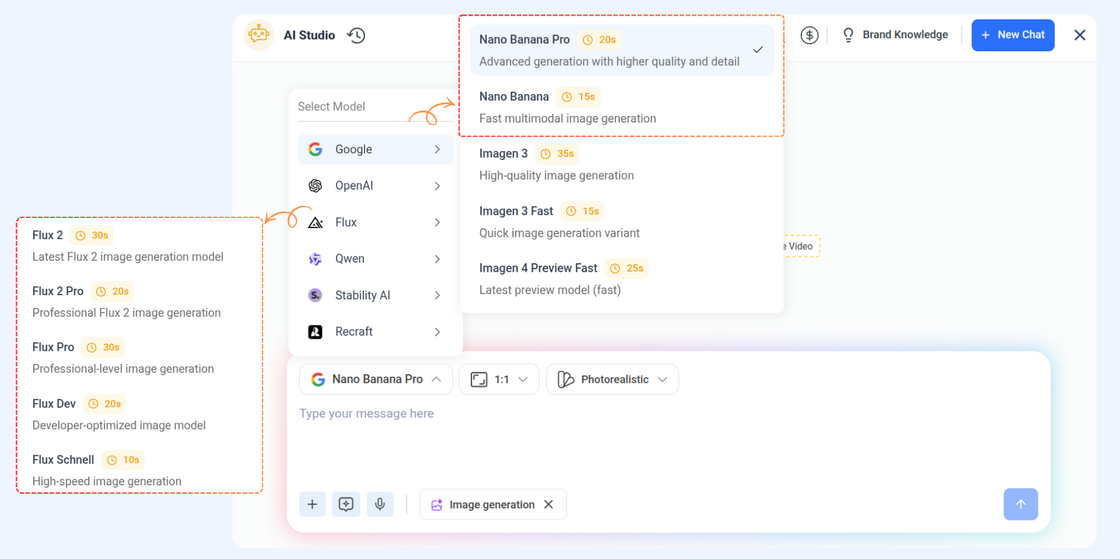
We’ve expanded ContentStudio’s AI Image Generator with support for the newest cutting-edge models:
- Google NanoBanana Pro: Unlock better realism, detail, and style understanding for more accurate visual output.
- Flux 2 & Flux 2 Pro: Get faster generation, enhanced creativity, and more control over your image results.
API Enhancements
The API now supports greater flexibility when creating and managing posts. Now you can specify post types per platform and choose from multiple publishing modes for improved scheduling workflows.
Here’s what’s new:
- Post Type – Define a post type (e.g., feed, reel, story, carousel, or combinations) directly through the API. Each platform supports specific post types to ensure compatibility and control.
- New Publishing Type – Along with Draft and Schedule, a new Queued option has been added, allowing posts to be automatically added to the publishing queue for seamless automation.
For more details, Check: ContentStudio API
RSS Feed Revamp
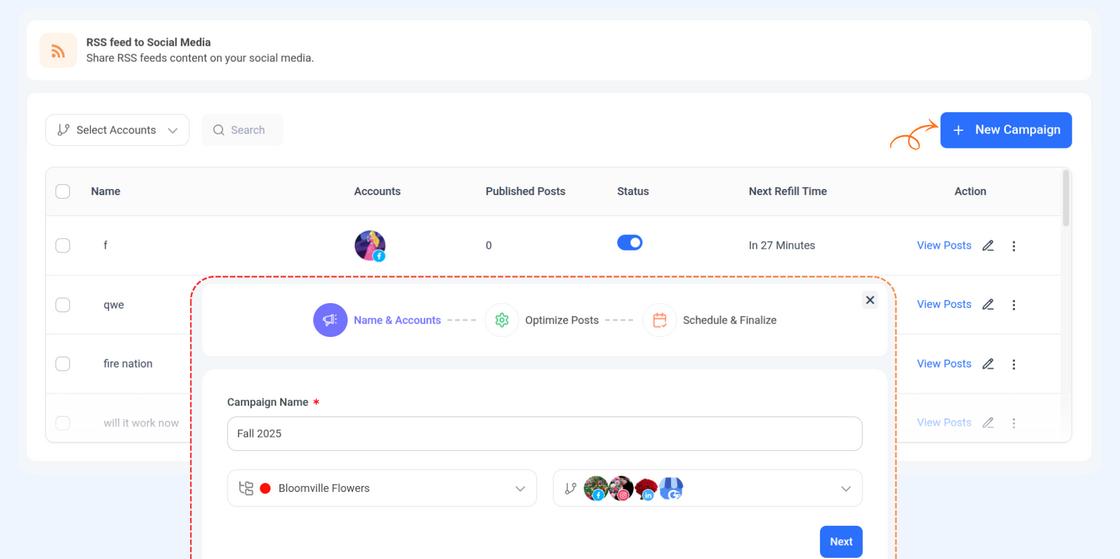
We’ve given the RSS Feed experience a fresh new update to make it easier to manage, faster to navigate, and fully aligned with the rest of the app.
Here’s what’s new:
- Landing Page – A redesigned overview page with a clearer feed list, quick filters, and effortless access to your feed settings and automation controls.
- Modern UI – Updated interface elements, improved readability, and a cleaner, more intuitive layout across every section.
For more details, Check: Automate Content with RSS Feeds
Evergreen Revamp
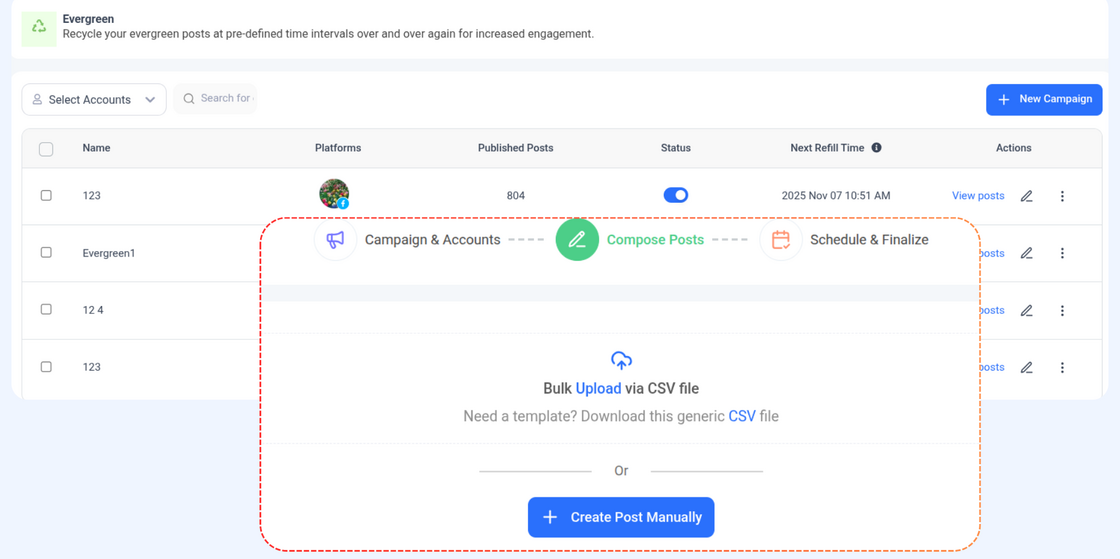
We’ve updated the Evergreen experience with a cleaner layout, smoother navigation, and a more intuitive workflow to help you manage your recurring content with ease.
Here’s what’s new:
- Landing Page – A refreshed overview with a clearer list of evergreen posts, quick filters, and effortless access to categories, queues, and settings.
- Modern UI – Updated interface elements, improved visual hierarchy, and a cleaner overall layout for a more polished and user-friendly experience.
For more details, Check: How to recycle posts using Evergreen automation recipe
Other Improvements and Fixes
- Fixed a case where certain LinkedIn replies remained stuck in a pending state.
- Improved bulk actions in Inbox so archiving or completing multiple items works reliably.
- Updated the “Post Comments” filter so it now correctly shows only post comments and excludes direct messages.
- Fixed a visual issue where images posted to Instagram/Facebook Stories were being zoomed or cropped unexpectedly. Stories now maintain their correct aspect ratio