Announcements

  1. Video clips, AI-powered best time to post, AI enhancements, other improvements, and fixes

    New Feature
    Improvement
    Fix

    🎬 Video Clips & Highlights

    Meet Video Clips & Highlights — an AI-powered feature that turns long-form videos into short, share-ready clips. Quickly extract the most impactful moments from podcasts, interviews, and other long videos to create engaging Reels and Shorts in minutes.

    Here’s what’s new:

    • AI-Powered Clip Generation – Automatically identify and extract highlights from long videos with minimal setup.
    • Custom Clip Controls – Choose clip length, orientation, caption style, and the number of clips to generate.
    • Guided Highlight Selection – Tell AI what to focus on, such as hooks, tips, or key insights, for more relevant clips.
    • Smart Clip Insights – Each clip includes an AI-generated title, caption, hashtags, and a virality score.

    video clipping (7)

    For more details, check: Video Clipping


    AI-Powered Best Time to Post

    Best Time to Post is now enhanced with AI-powered suggestions to help you schedule content at the most effective times across your social channels.

    Here’s what’s new:

    • AI-Powered Time Suggestions – Get smart, AI-driven recommendations for when to publish your posts to maximize visibility and engagement.
    • Support for All 11 Platforms – Best Time to Post is now available across all supported social platforms.
    • Custom Time Selection – When posting to multiple platforms, switch to Custom Time to view and apply AI-recommended posting times for each platform individually.

    bets time to post (6)

    For more details, check: AI Best time to Post


    Other Improvements and Fixes

    • Enhanced AI processing to better handle posts with multiple images, ensuring more accurate and consistent results.
    • Improved analytics calculations to provide more reliable and accurate performance insights across reports.
    • Fixed an issue where RSS Auto-Post was not fetching newly published posts from certain feeds.
    • Resolved intermittent Social Inbox issues where Facebook and Instagram comments or messages were not auto-fetching and showed outdated data.
    • Fixed a problem where Shopify blogs appeared connected on Shopify but did not show as connected inside ContentStudio.
    • Corrected an issue causing inflated reach metrics in analytics to ensure accurate reporting.
    • Fixed the “Created by” filter so it now correctly displays the team member who created each post in the planner.

    2

  2. Chinese language, API, Make.com & Zapier enhancements , improvements & fixes

    New Feature
    Improvement
    Integrations

    🌍 Chinese Added to Multi-Language Support

    The ContentStudio web app now includes Chinese, expanding your multilingual experience even further. Switch to Chinese and the interface updates instantly across all pages, menus, and features.

    Here’s what’s new:

    • Chinese Language Option – Select Chinese from the language menu for a fully localized interface.
    Reseller Dashboard

    For more details, Check: Multi-Language Support for Web App


    API Enhancements

    The API now supports even more platforms, giving you the power to manage posts on Google My Business (GMB), Pinterest, TikTok, and YouTube directly through a single endpoint. Define post types, schedule posts, and streamline your publishing workflow across all these new channels!

    Here’s what’s new:

    • New Platforms Supported – Google My Business (GMB), Pinterest, TikTok, and YouTube can now be managed through the API.

    For more details, Check: ContentStudio API


    Make.com Integration Updates

    Creating posts via Make.com just got easier and more flexible!

    Here’s what’s new:

    • First Comment Support – You can now add the first comment when creating posts via Make.com.
    • Full Post Type Options – All available post types (feed, feed+reel, reel, carousel, story, feed+story, feed+reel+story, reel+story, carousel+story, video) are now selectable.
    • Queue Publishing – Schedule Type now includes Queued, along with Draft and Schedule options.

    For more details, check: Make.com Integration


    Zapier Integration Updates

    Zapier workflows are now even more powerful for scheduling posts automatically!

    Here’s what’s new:

    • First Comment Support – Added the ability to include a first comment on posts via Zapier.
    • Complete Post Type Selection – Same full list of post types as Make.com is now available.
    • Queued Publishing Option – Posts can now be added to the publishing queue in addition to Draft and Schedule.

    For more details, check: Zapier Integration


    Other Improvements and Fixes

    • Enhanced the Custom Views experience in the Planner with UI/UX improvements that make creating, managing, and switching views more intuitive and seamless.
    • Ensured email notifications for account token expiration are sent reliably when tokens are nearing expiry.
    • Improved conversation filtering to prevent counts from appearing when no actual comments are available on LinkedIn, Facebook, and Instagram.
  3. Custom views in Planner, feed view revamped, Instagram direct connection in Inbox, other improvements and fixes

    New Feature
    Improvement
    Fix

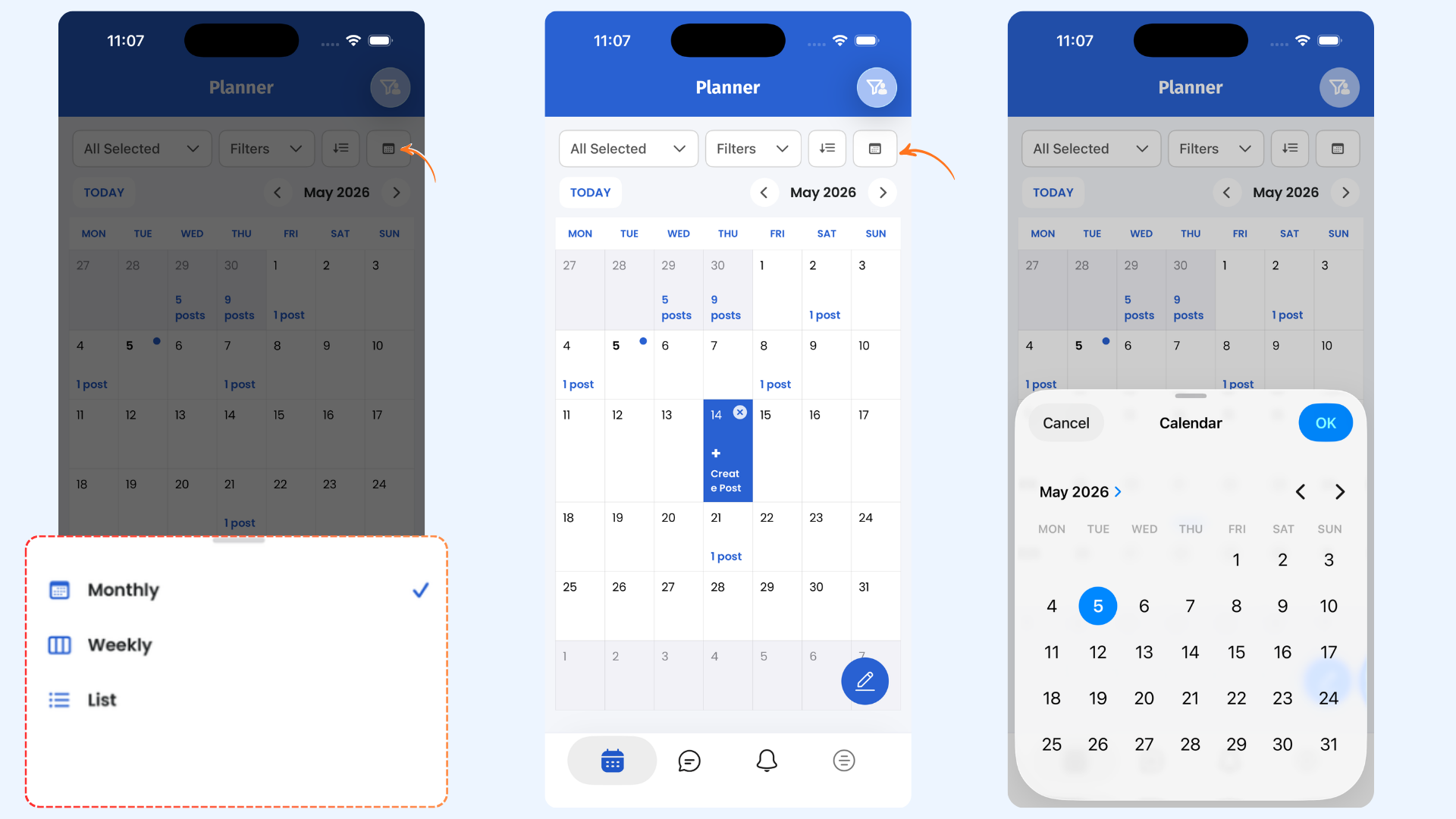
    Custom Views in Planner

    Custom Views in Planner make planning feel effortless by letting you save your preferred setup and jump right back into it anytime. Instead of reconfiguring your layout each time, you can create personalized views that match how you plan and manage content.

    Here's what's new:

    • Create Custom Views: Save your preferred Planner setup in just a few clicks and reuse it whenever you need.
    • Quick Access: Instantly switch between saved views from the Planner sidebar or view selector without breaking your workflow.
    • Manage Views: Edit or delete existing views, or set any view as your default to keep your Planner working your way
    custom views (20)

    For more details, Check: Custom Views in Planner


    🌍 Multi-Language Support for the Android App

    The ContentStudio Android App is now fully multilingual — giving you a seamless, localized experience wherever you manage your content. Switch to your preferred language and the app updates instantly.

    Here's what's new:

    • Global Language Options – Choose from six supported languages: English, French, German, Italian, Spanish, and Greek — with more coming soon.
    • Instant App Translation – Once updated, the entire Android app automatically reflects your selected language across all screens, menus, and features.

    image

    For more details, Check: Multi-Language Support for Android App


    Feed View Revamped

    The Feed View in Planner has been refreshed to give you a smoother, more intuitive experience. Managing posts and staying on top of updates is now easier, faster, and visually cleaner.

    Here's what's new:

    • Improved Workflow & UX: Streamlined actions, quick-access controls, and a cleaner, more intuitive layout make managing posts faster, easier, and more focused.
    Views in Planner

    For more details, Check: What is Planner and how to view posts in Planner?


    Direct Instagram Support in Inbox

    We’ve enhanced the Inbox experience by adding support for directly connected Instagram accounts, giving you more control and flexibility when managing conversations. You can now handle Instagram messages alongside your other channels and keep everything organized in one place.

    Here’s what’s new:

    • View and manage messages from directly connected Instagram accounts.
    • Reply to conversations without switching tools or interfaces.

    For more details, Check: Which channels are supported by social inbox?


    Other Improvements and Fixes

    • Fixed an issue where the shareable calendar link sometimes didn’t display all posts and ensured the week start aligns with workspace settings.
    • Resolved a case where newly uploaded OMBL content was not appearing in the Discovery feature.
    • Fixed RSS feed image inconsistencies when publishing posts to Instagram, Facebook, and LinkedIn.
    • Updated Instagram analytics to correctly reflect follower growth over time.
    • Resolved a connection issue for certain accounts during setup to ensure smooth integration.
    • Fixed plugin API errors to restore reliable communication between ContentStudio and connected blogs.
    • Ensured Instagram competitor data updates properly and displays profile images for all competitors.
    • Improved the subscription workflow so users can resubscribe to the same plan without upgrade issues.
    • Fixed an issue where videos shared via “Share via Link” were not playing for team members.
    • Workspace name is now included in email subject lines for easier identification and filtering.

  4. Smart scheduling, AI media tools, web search, Instagram direct in Inbox & fixes

    New Feature
    Improvement
    Fix

    Smart Scheduling

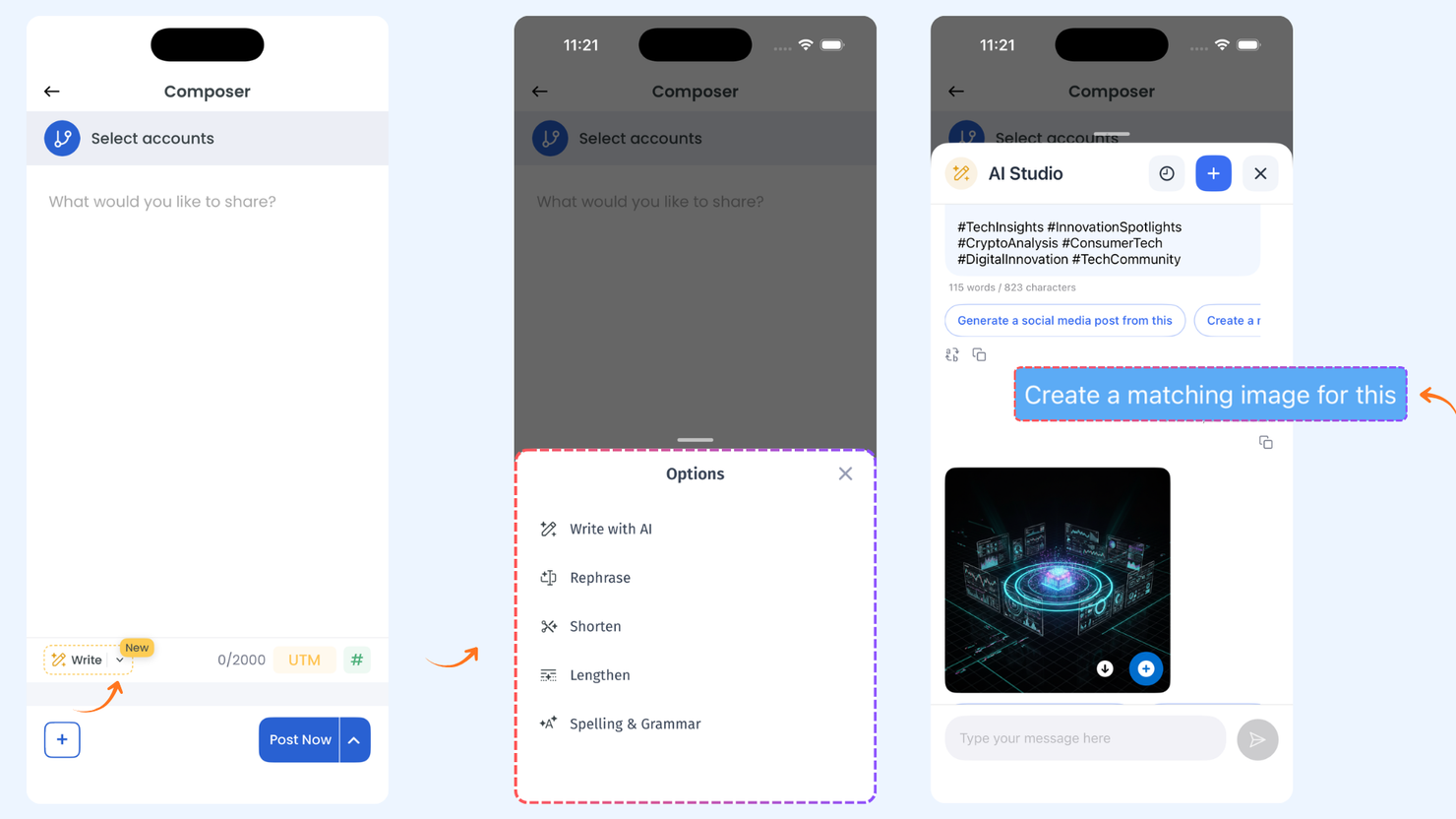
    Meet Smart Scheduling — your AI-powered content assistant designed to make creating and publishing posts faster, easier, and smarter. Chat with AI to generate engaging content, refine your captions, and attach media in seconds. With support for bulk scheduling and posting across multiple accounts, Smart Scheduling helps you plan days or weeks of content in one go.

    Here’s what’s new:

    • Seamless Post Creation – Type your prompt or choose from pre-written suggestions, select social accounts, attach media, and let Smart Scheduling handle the rest. No switching between apps or tabs needed.

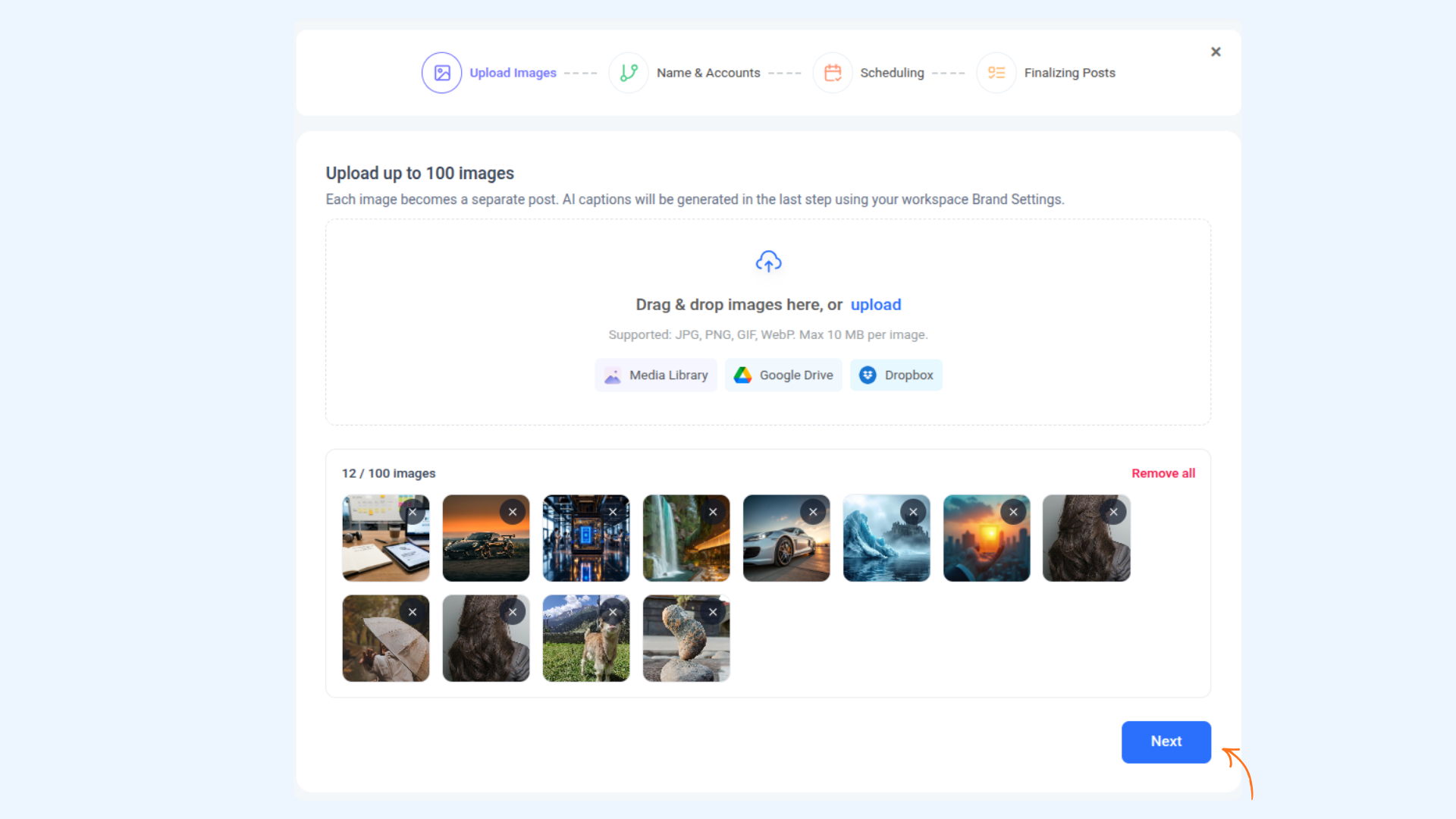
    • Bulk Scheduling Made Easy – Upload multiple images, generate captions automatically, and schedule several posts at once. Perfect for weekly campaigns or recurring content.

    • Multi-Account Support – Post to one or multiple social accounts simultaneously by specifying account names or IDs.

    image

    For more details, check: Smart Scheduling


    AI Video & Image Generation — Powered by New Models

    We’ve expanded ContentStudio’s AI capabilities with the latest high-quality models, giving you even more creative freedom. Now you can generate stunning images and videos faster, with richer detail and higher visual fidelity than ever before. professional.

    Here's what's new:

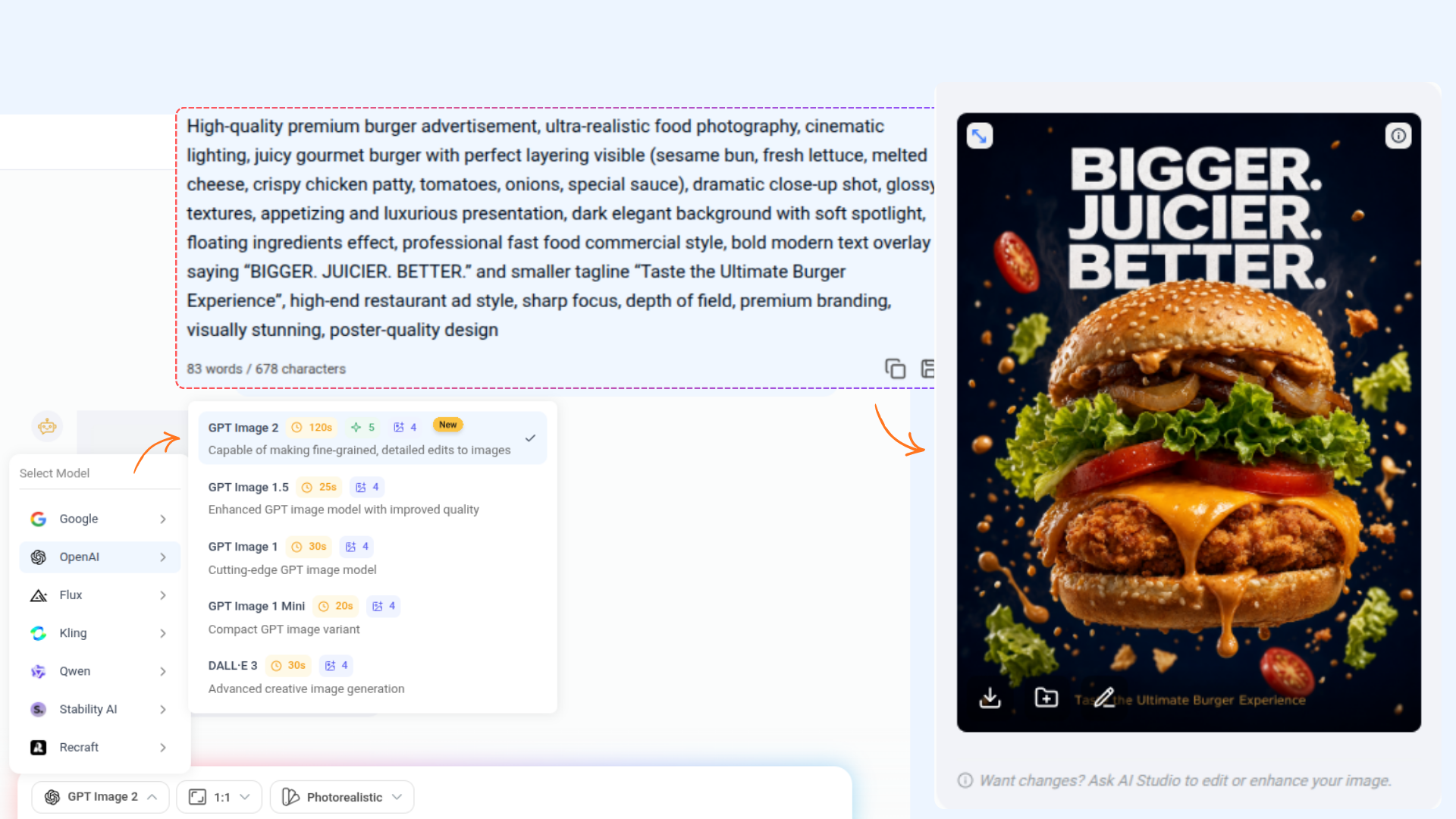
    • Kling Video o1 – Transform your images into high-quality videos effortlessly with this Image-to-Video model.
    • Kling Image o1 – Generate stunning, high-quality AI images with ease.

    image

    For more details, check: AI tools in ContentStudio


    Web Search in Chat

    Web Search in Chat brings the power of the web right into AI Studio. Now, you can explore topics, gather information, and analyze content without leaving the chat — all in one place. It’s simple, fast, and intuitive, helping you get the answers you need instantly.

    Here’s what’s new:

    • Prompt-Based Search – Type your query in the chat and let the AI pull in helpful information from the web.
    • Link Analysis – Share your own links and ask the AI to summarize, analyze, or extract key points.
    • Summarized Results – Receive concise, relevant responses from multiple sources, saving you time and effort.
    image

    For more details, check: How to use ContentStudio's AI Studio


    Direct Instagram Support in Inbox

    We’ve enhanced the Inbox experience by adding support for directly connected Instagram accounts, giving you more control and flexibility when managing conversations. You can now handle Instagram messages alongside your other channels and keep everything organized in one place.

    Here’s what’s new:

    • View and manage messages from directly connected Instagram accounts.
    • Reply to conversations without switching tools or interfaces.

    Other Improvements and Fixes

    • WordPress Plugin (v1.4.1) — fixed minor glitches to ensure smoother performance and reliability.
    • Resolved various customer-reported issues and improved overall app workflow and reliability.
    • Revamped Analytics UI, including Scheduled Reports, Download Report, and Report Settings — for a smoother, more intuitive reporting experience.
  5. Multi-language support and fixes

    New Feature
    Improvement
    Fix

    🌍 Multi-Language Support for the Web App

    The ContentStudio web app is now fully multilingual — giving you a seamless, localized experience no matter where you work from. Switch to your preferred language and the entire interface updates instantly.

    Here’s what’s new:

    • Global Language Options – Choose from six supported languages: English, French, German, Italian, Spanish, and Greek — with more coming soon.
    • Instant UI Translation – Once updated, the entire web app automatically reflects your selected language across all pages, menus, and features.

    image

    For more details, Check: Multi-Language Support for Web App


    Other Improvements and Fixes

    • Improved how shared posts behave in Share via Link, so videos now open and play more reliably for all viewers.
    • Added a clearer message when users reach their social account connection limit in TikTok linking, avoiding confusion and making the flow smoother.
    • Fine-tuned carousel preview behavior so clicking a video thumbnail from shared planner links opens and plays the video correctly instead of redirecting to the full post preview.
  6. AI video generation, RSS and Evergreen revamped, API enhancements

    New Feature
    Improvement
    Fix

    AI Video Generation

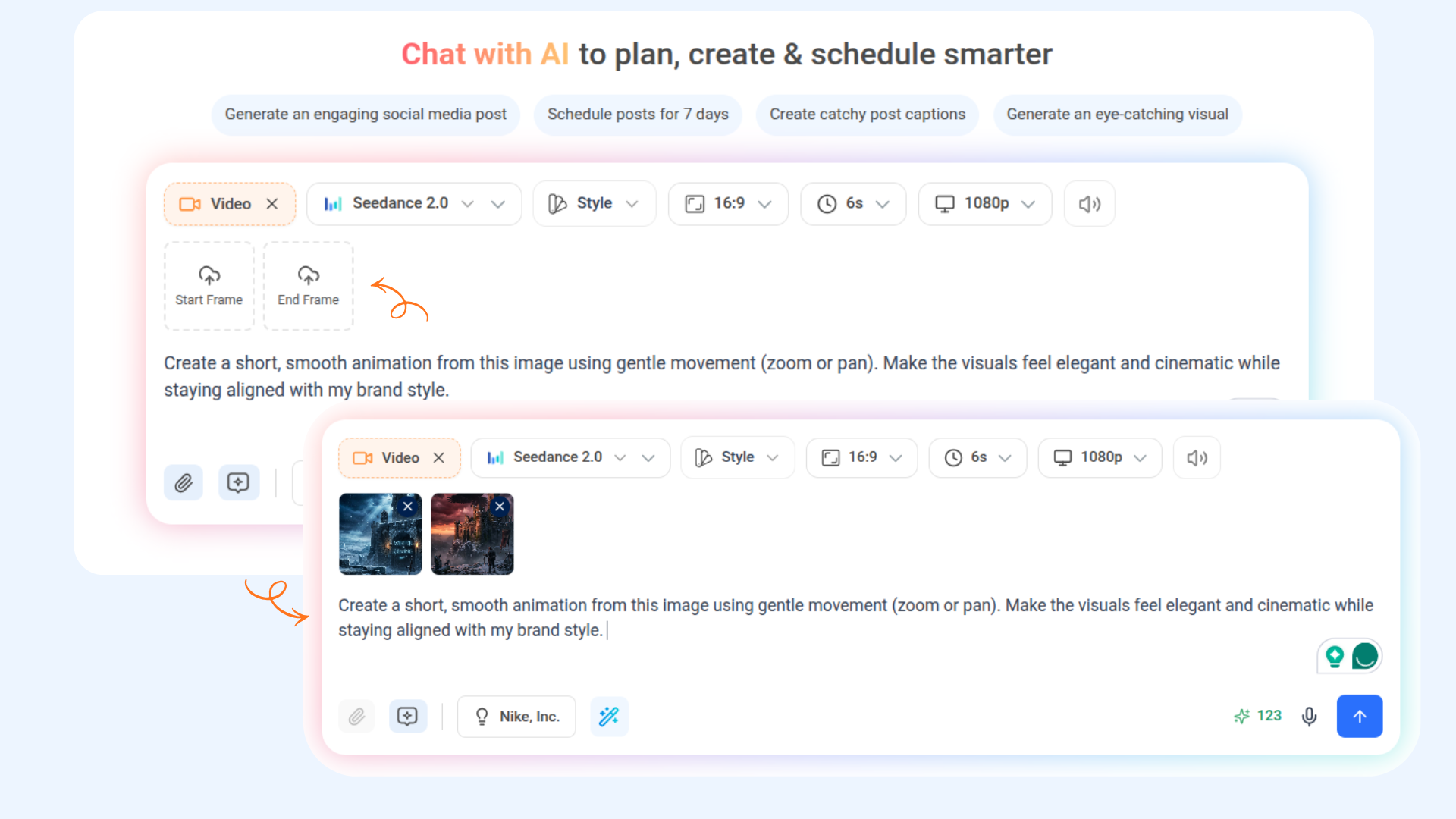
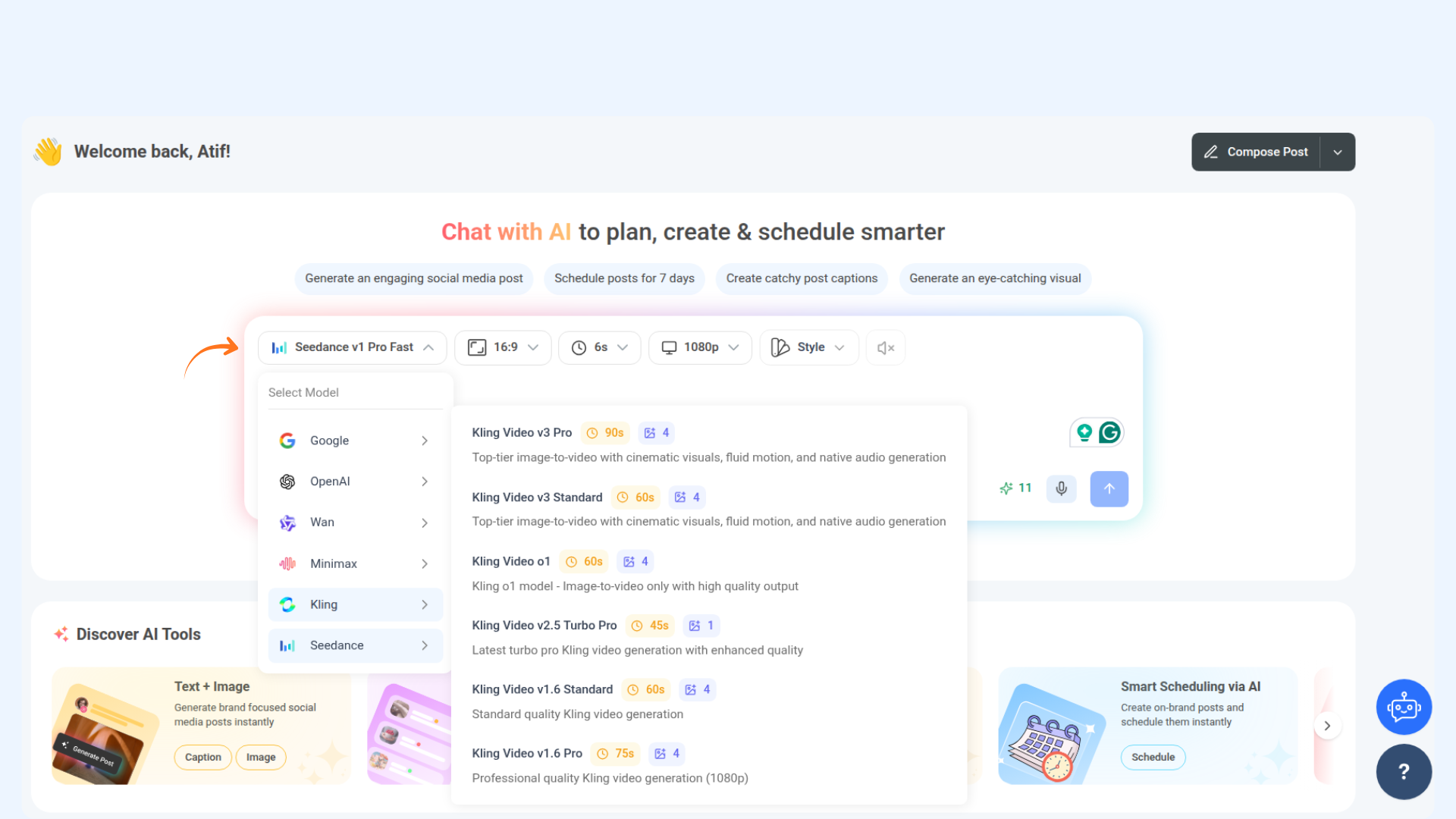
    The new AI Video Generation tool transforms your ideas into cinematic, scroll-stopping videos in seconds. Whether you’re promoting a product, telling a story, or explaining a feature — simply type your prompt, and let AI bring your vision to life.

    Here’s what’s new:

    • Instant Creation – Generate stunning, professional-quality videos directly from your ideas or ready-made templates — no editing skills needed.

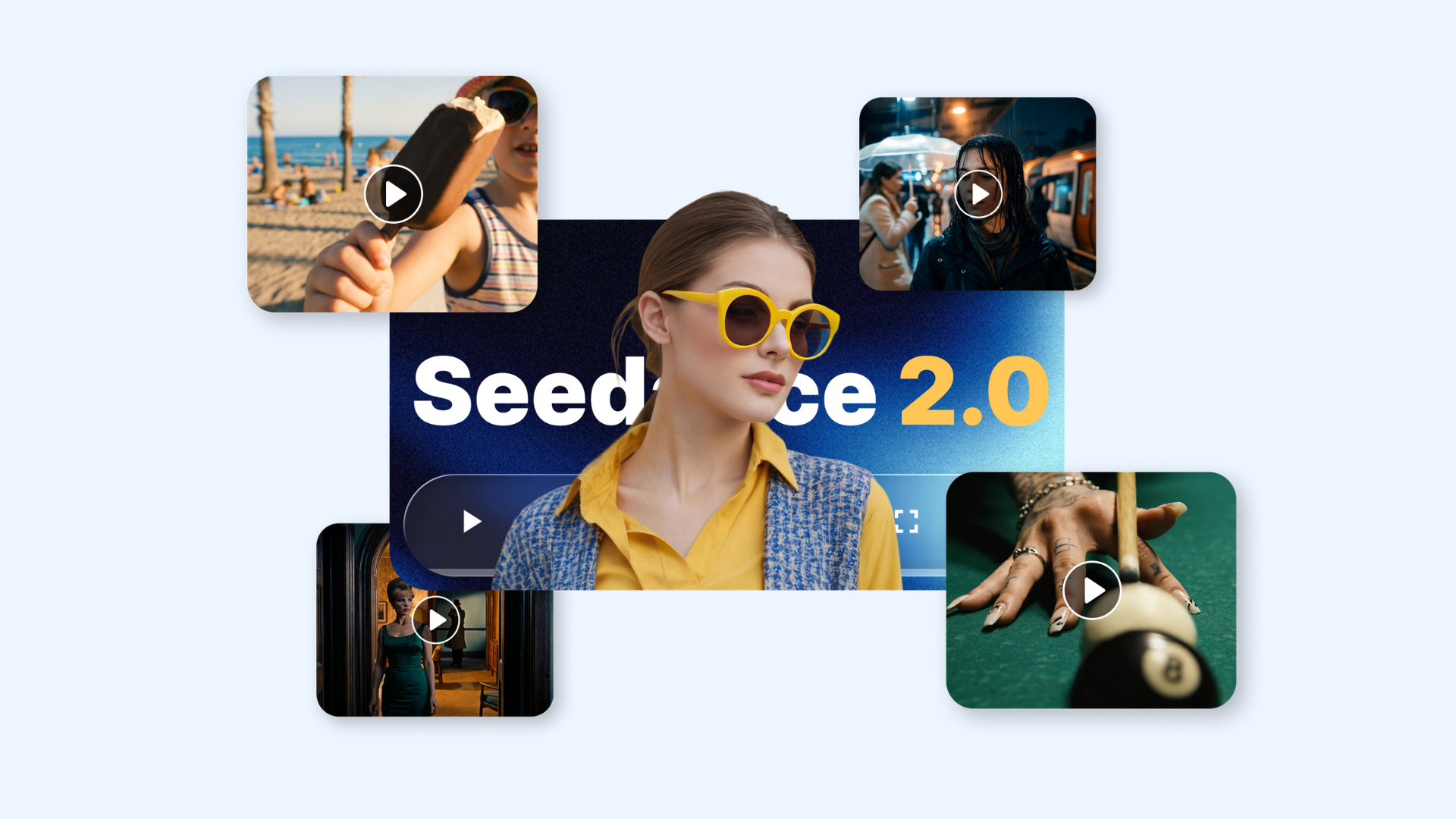
    • Multiple AI Providers – Choose from a variety of AI video models including Wan, Minimax, Google, OpenAI, and Seedance to match your creative goals.

    • Seamless Publishing – Once generated, instantly open your video in the Composer to craft your post or view it in your Media Library for later use.

    image

    For more details, Check: AI Video generation


    AI Image Generator — Powered by New Models

    We’ve expanded ContentStudio’s AI Image Generator with support for the newest cutting-edge models:

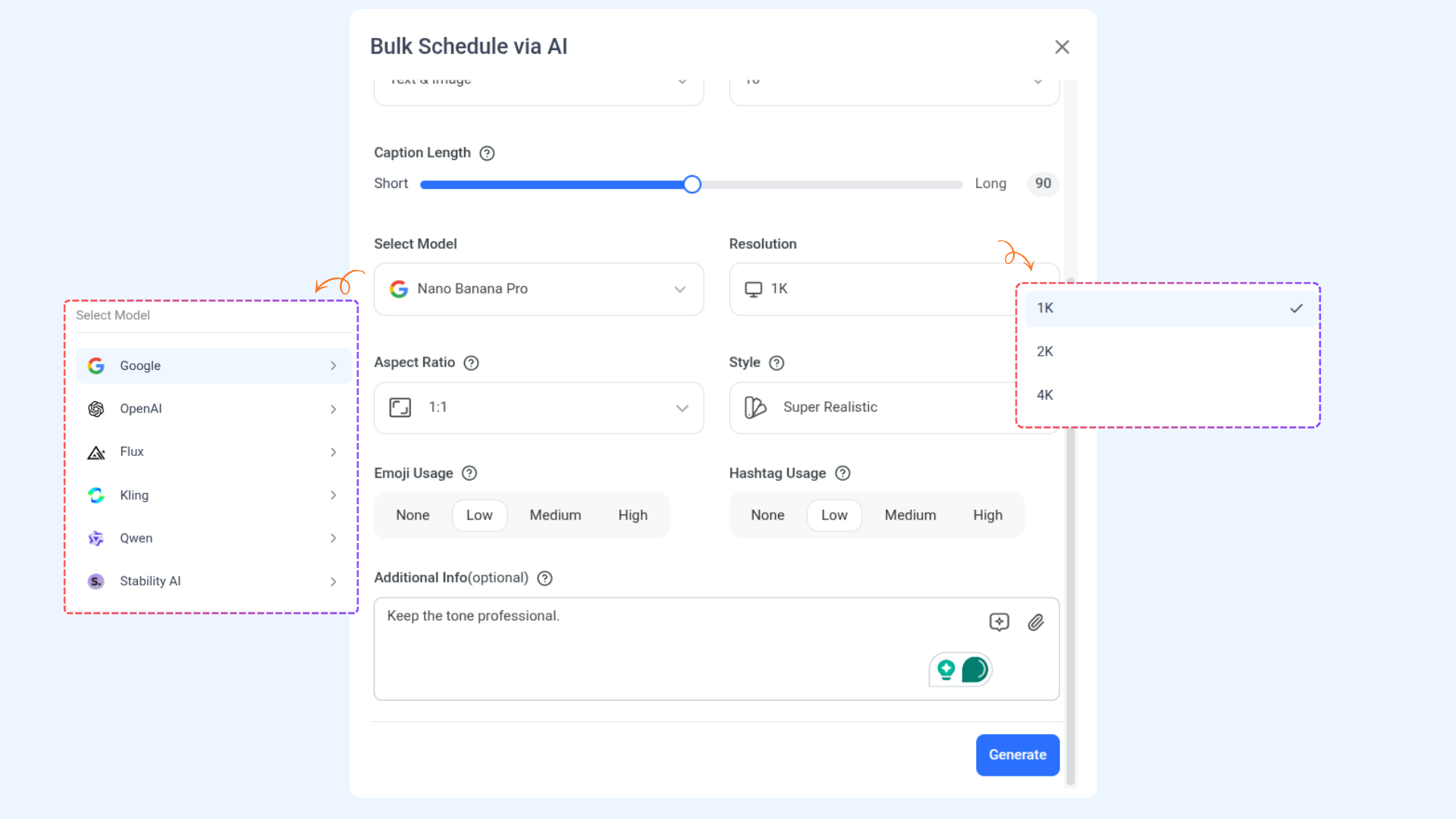
    • Google NanoBanana Pro: Unlock better realism, detail, and style understanding for more accurate visual output.
    • Flux 2 & Flux 2 Pro: Get faster generation, enhanced creativity, and more control over your image results.

    image

    API Enhancements

    The API now supports greater flexibility when creating and managing posts. Now you can specify post types per platform and choose from multiple publishing modes for improved scheduling workflows.

    Here’s what’s new:

    • Post Type – Define a post type (e.g., feed, reel, story, carousel, or combinations) directly through the API. Each platform supports specific post types to ensure compatibility and control.
    • New Publishing Type – Along with Draft and Schedule, a new Queued option has been added, allowing posts to be automatically added to the publishing queue for seamless automation.

    For more details, Check: ContentStudio API


    RSS Feed Revamp

    We’ve given the RSS Feed experience a fresh new update to make it easier to manage, faster to navigate, and fully aligned with the rest of the app.

    Here’s what’s new:

    • Landing Page – A redesigned overview page with a clearer feed list, quick filters, and effortless access to your feed settings and automation controls.
    • Modern UI – Updated interface elements, improved readability, and a cleaner, more intuitive layout across every section.

    image

    For more details, Check: Automate Content with RSS Feeds

    Evergreen Revamp

    We’ve updated the Evergreen experience with a cleaner layout, smoother navigation, and a more intuitive workflow to help you manage your recurring content with ease.

    Here’s what’s new:

    • Landing Page – A refreshed overview with a clearer list of evergreen posts, quick filters, and effortless access to categories, queues, and settings.
    • Modern UI – Updated interface elements, improved visual hierarchy, and a cleaner overall layout for a more polished and user-friendly experience.

    image

    For more details, Check: How to recycle posts using Evergreen automation recipe


    Other Improvements and Fixes

    • Fixed a case where certain LinkedIn replies remained stuck in a pending state.
    • Improved bulk actions in Inbox so archiving or completing multiple items works reliably.
    • Updated the “Post Comments” filter so it now correctly shows only post comments and excludes direct messages.
    • Fixed a visual issue where images posted to Instagram/Facebook Stories were being zoomed or cropped unexpectedly. Stories now maintain their correct aspect ratio
  7. New ContentStudio Home

    New Feature
    Fix
    Improvement

    New ContentStudio Home

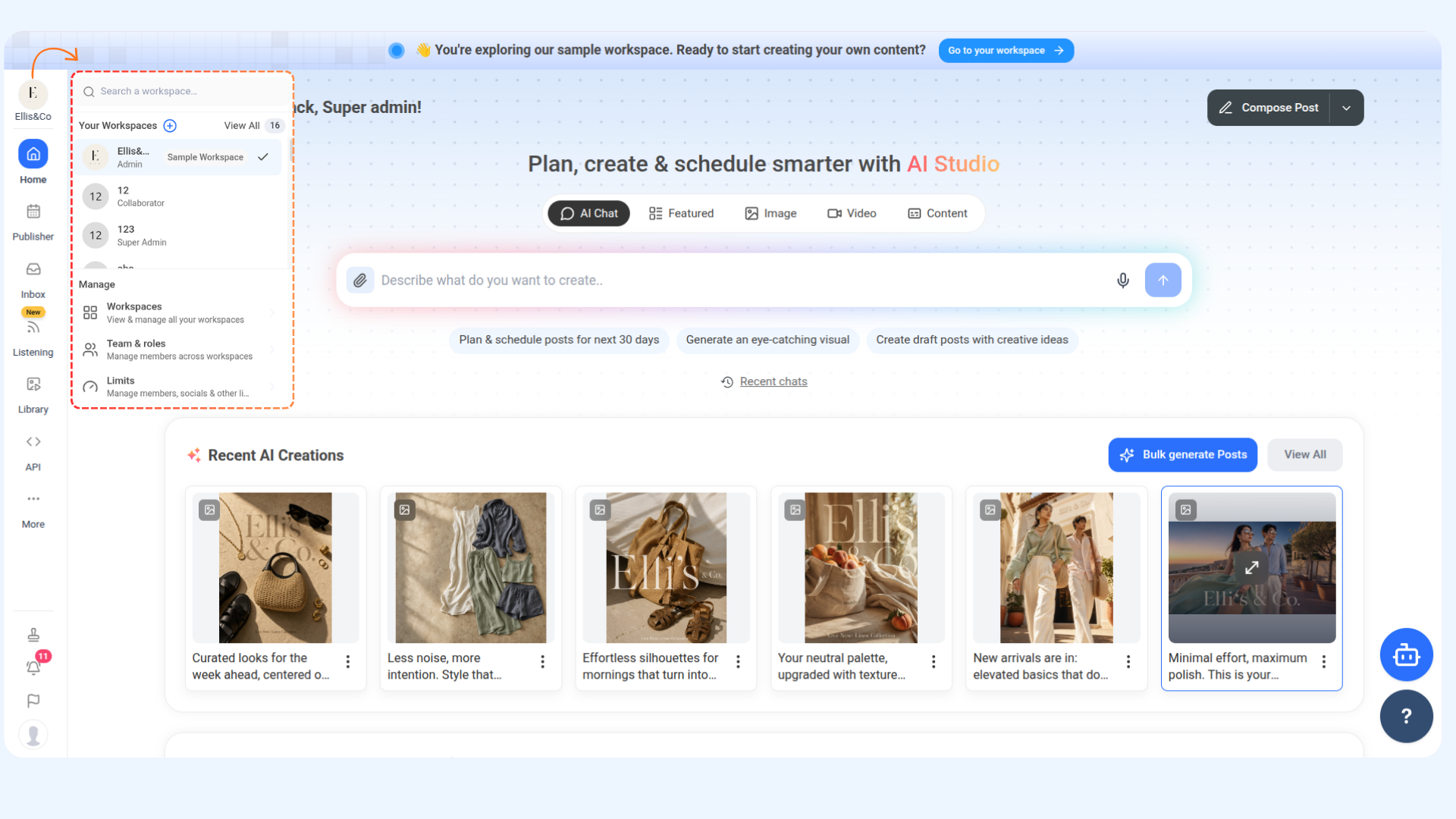
    The revamped ContentStudio Home is built to make content creation smarter, faster, and more intuitive. With streamlined access to your favorite tools and AI-powered features, you can now move effortlessly from idea to publish — all in one place.

    Here’s what’s new:

    • Create & Plan with AI Studio 💬 – Your built-in creative partner is now right where you need it. Chat with AI to brainstorm ideas, refine captions, or plan entire campaigns — all tailored to your brand’s tone and goals. When it’s time to publish, use the “Add to Composer” button to turn ideas into ready-to-share posts or blogs in just a few clicks.
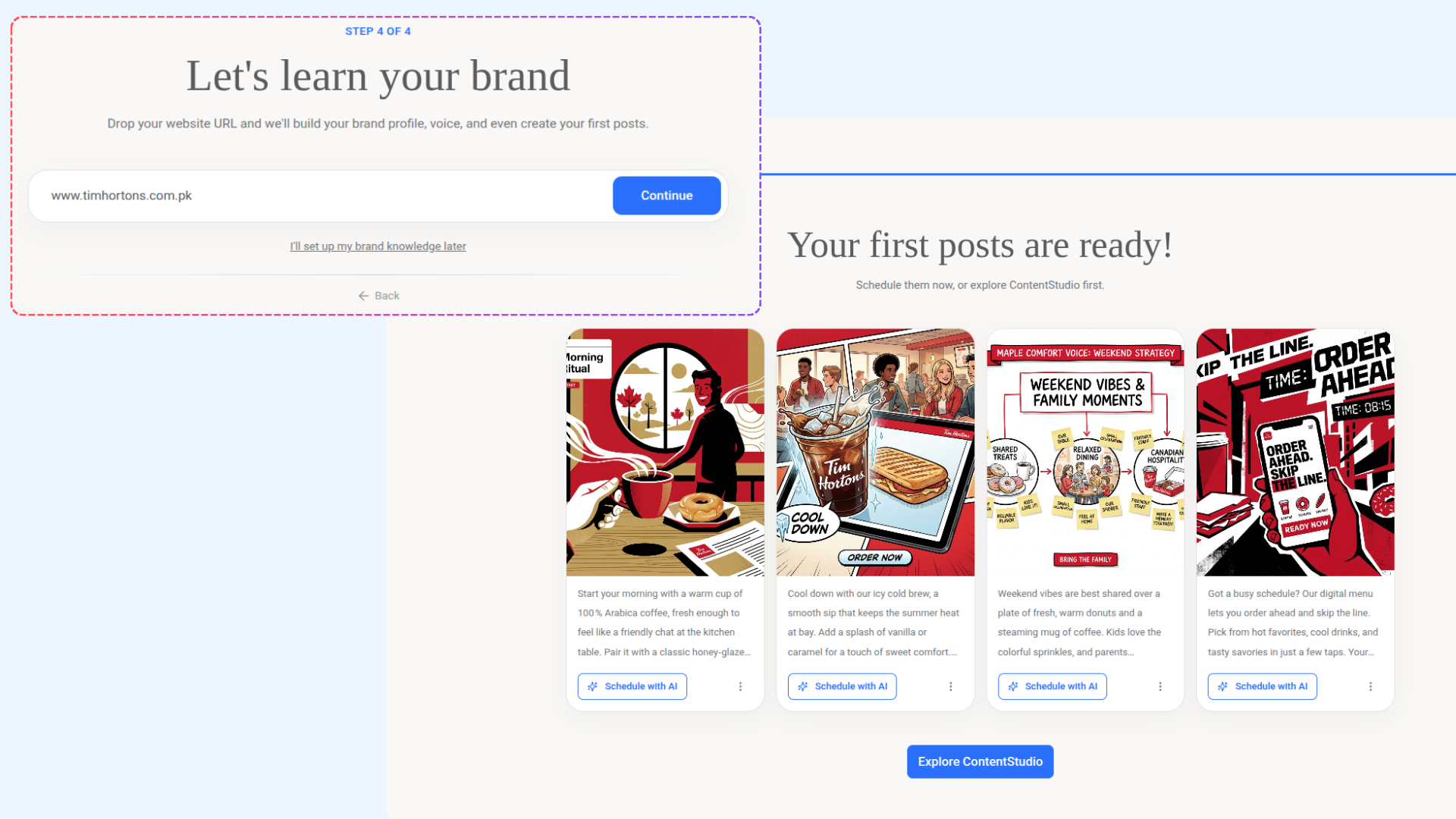
    • Personalize Your Brand Voice 🧠 – Keep your content consistently on-brand with Brand Knowledge. Define your tone, writing style, and personality so every AI-generated caption feels unmistakably yours. Customize it anytime under Brand Knowledge → Brand Voice.
    • Create Smarter with AI Tools 🤖 – Bring your ideas to life faster with ContentStudio’s built-in AI tools. From crafting posts to generating visuals and hashtags — everything you need for standout content is right at your fingertips.

    image

    For more details, Check: Navigating the Home page

    Other Improvements and Fixes

    • The ContentStudio Dashboard is now called Home, providing a cleaner and more focused space to start your content journey.
    • The AI Assistant is now known as AI Studio, offering a smarter, more personalized experience powered by your Brand Knowledge.
    • Your Brand Voice now flows seamlessly throughout the platform — ensuring every AI-generated caption, idea, and response in AI Studio reflects your unique tone and personality.
  8. ContentStudio API,MCP server, integerating Make.com,Zapier,Claude AI

    New Feature
    Improvement
    Fix

    ContentStudio's API

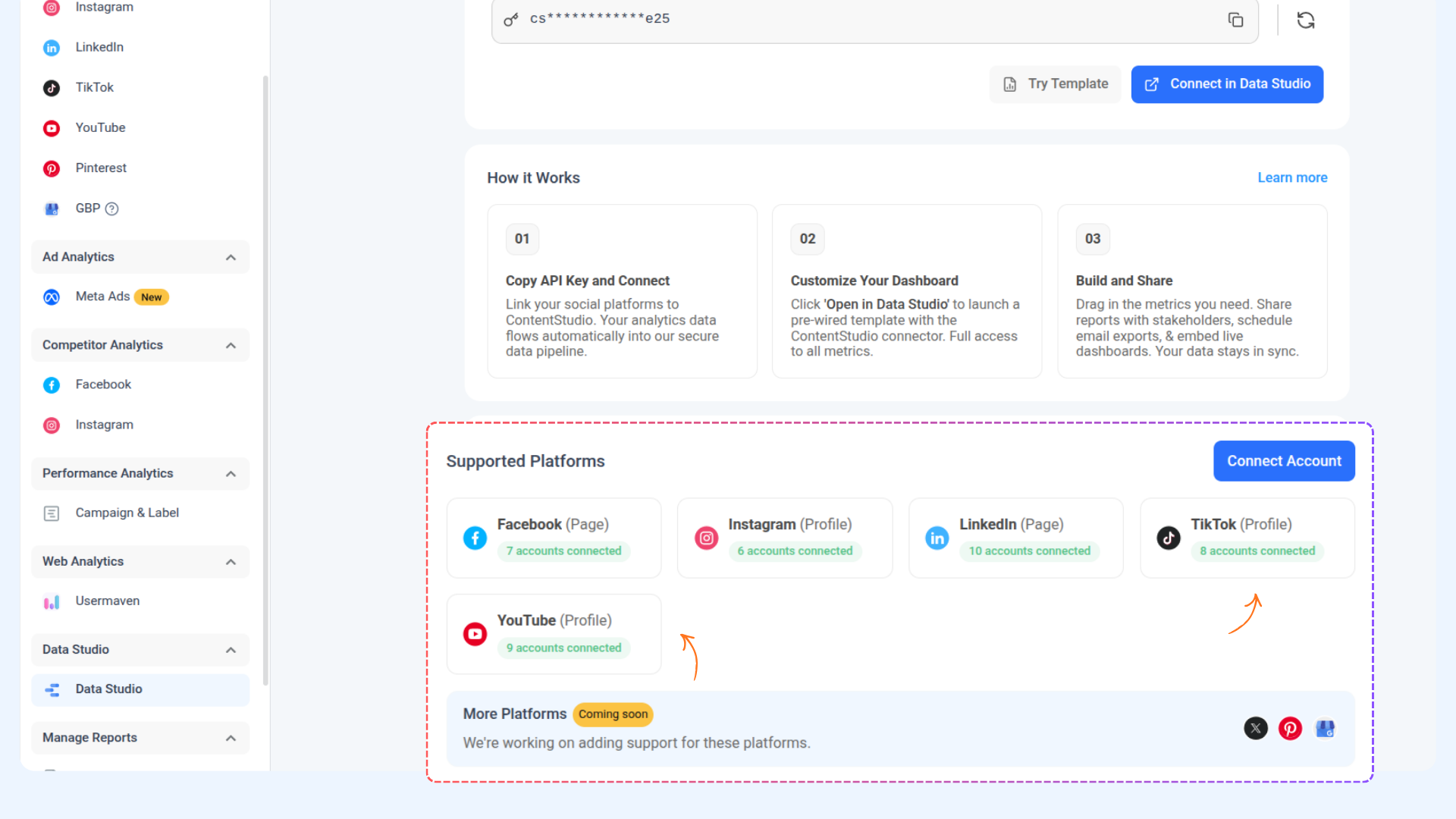
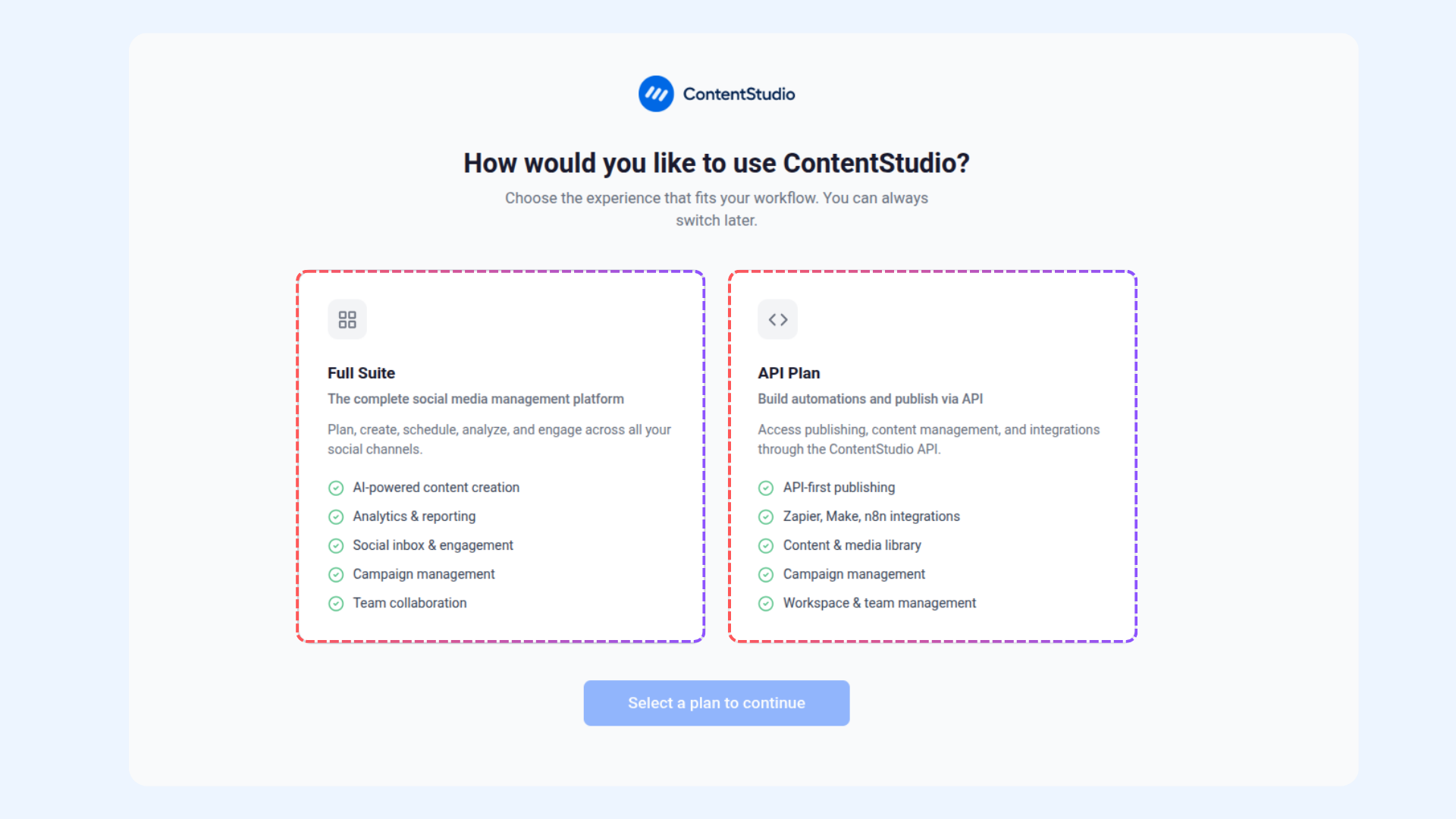
    We’re excited to introduce the ContentStudio API, empowering developers and teams to build custom integrations and automations with ease. Now you can now connect ContentStudio with your favorite tools, streamline publishing workflows, and manage content effortlessly.

    Here’s what’s new:

    • Powerful Endpoints – Access data from your workspaces, manage posts and automate publishing.

    • Flexible Integration – The API is designed to work seamlessly with any automation or workflow tool.

    👉 Go to Settings → API Key

    image

    For more details, Check: ContentStudio API


    Zapier Integration

    The new Zapier integration lets you automate your ContentStudio workflows with ease. Create Zaps to handle routine actions like publishing, updating, or managing your content

    Here’s what’s new:

    • Quick Setup – Connect your ContentStudio account and start building automations in minutes.
    • Streamlined Workflow – Use triggers and actions to automatically create posts, sync updates, or manage your publishing process.

    image

    For more details, Check : Zapier Integration


    Make.com Integration

    The new Make.com integration enables you to build powerful automated workflows for your ContentStudio account. Design custom scenarios to manage actions like post creation, scheduling, or workspace updates — all without manual effort.

    Here’s what’s new:

    • Simple Connection – Authenticate your ContentStudio account and start creating Make scenarios that suit your workflow.
    • Flexible Automation – Use modules to publish content, update posts, or organize data automatically.

    image

    For more details, Check: Make.com Integration


    ContentStudio MCP Server

    We’ve introduced the ContentStudio MCP Server, designed to create a more connected and intelligent automation experience. It acts as a secure bridge between ContentStudio and supported AI or automation tools, enabling smarter interactions and dynamic workflows.

    Here's what's new:

    • Wider Compatibility – Works seamlessly with Claude Desktop, Microsoft Copilot, and other MCP-compatible frameworks like LangChain or Semantic Kernel to enable AI-powered publishing and automation.

    • Enhanced Automation – Power up your automations by connecting external services through a standardized and secure communication layer.

    For more details, Check: ContentStudio MCP Server


    ContentStudio MCP Server in Claude

    ContentStudio’s MCP Server is now integrated with Claude, allowing you to access and manage your ContentStudio data directly through Claude’s interface.

    Here's what's new:

    • Seamless Access – Connect your ContentStudio account to Claude to fetch workspaces, social accounts, and post data in real time.

    • Smarter Workflows – Use Claude to interact with your ContentStudio MCP setup for tasks like content creation, updates, and scheduling.

    image

    For more details, Check: Integrating ContentStudio in Claude


    Other Improvements and Fixes

    • Overall UI/UX refinements and stability updates for a smoother and more reliable experience across the platform.
    • Enhanced media library filters for easier navigation and quicker access to assets.
    • Improved post scheduling accuracy when using Notes.
    • Ensured full content renders properly across page breaks when downloading posts as PDFs, with no truncation.
  9. Trusted devices, theme settings, social inbox updates

    New Feature
    Improvement
    Fix

    Trusted Devices for 2FA

    Stay in control of your account security with the new Trusted Devices feature. You can now mark devices as trusted during login, making your 2FA experience more convenient without compromising safety.

    Here’s what’s new:

    • Trusted devices – Mark devices as trusted during login or during 2FA setup process.
    • Revoke trust – Instantly remove a device’s trusted status so it will require 2FA on the next login.

    👉 Go to Your Profile → Security

    image

    For more details, check: The Content Studio 2FA authentication process


    Theme Settings in White Label

    We’ve introduced Theme settings in White Label to give you greater control over how your platform looks and feels. Now you can match your workspace with your brand identity, whether that’s through your own custom settings or ready-made options.

    Here’s what’s new:

    • Custom themes – Instantly generate a theme based on your provided website or brand assets.
    • Premade themes – Pick from a collection of ready-made themes for a quick and professional look.

    👉 Go to Settings → White Label

    image

    For more details, check: White Label


    Social Inbox Updates

    Managing conversations just got even smoother! We’ve introduced new features to help you stay more organized and efficient when handling interactions.

    Here’s what’s new:

    • Comment-level threads – View and reply within individual comment threads, making conversations easier to follow.
    • More options menu – Use the three-dots dropdown next to Mark as Done to quickly mark conversations as Pending or Archived.

    👉 Try it now in Inbox → Conversations

    image

    For more details, check: How to manage conversations in social inbox


    Other Improvements and Fixes

    • Overall UI/UX refinements and stability updates for a smoother and more reliable experience across the platform.
    • Added TikTok branded content option in composer to label posts as your own brand or as third-party branded content.
    • Added TikTok AI-generated content label in composer to indicate when content is AI-created.

  10. Auto-resize, Instagram tagging

    Improvement
    Fix
    New Feature

    Auto-resize images in Composer

    You can now automatically resize images that don’t meet platform aspect ratio requirements—no more manual edits outside ContentStudio.

    Here’s what’s new:

    • Auto-resize – If your image violates a platform’s aspect ratio, you’ll see an error with an Auto resize option.

    • Smart adjustments per platform – Resized versions apply only where needed; other platforms keep the original.

    👉 Go to Composer → Upload the media

    image

    For more details, check: Auto-Resize Images in Composer

    Tagging Enhancements

    Instagram tagging just got more versatile. You can now mention relevant accounts across additional content formats, making your posts more engaging and easier to discover.

    • Tag on Videos 🎥 – Add tags directly to your Instagram videos to credit brands, partners, or featured accounts. This ensures the right people are highlighted when sharing video content.
    • Tag on Stories – Mention accounts in your Instagram Stories to increase visibility and create a stronger connection with your audience.

    With these enhancements, your tagging options now extend beyond photos, giving you more flexibility and reach across Instagram.

    image

    For more details, check: Instagram Tagging

    Other Improvements and Fixes

    • Overall UI/UX refinements and stability updates for a smoother publishing experience.

    • There was an issue where duplicate post settings were not consistently retained across certain platforms. This has now been fixed.

    • There was an issue with notification handling, where clicking a notification did not always show the related comment. This has now been fixed.