Auto-resize, Instagram tagging
Improvement
Fix
New Feature
Auto-resize images in Composer
You can now automatically resize images that don’t meet platform aspect ratio requirements—no more manual edits outside ContentStudio.
Here’s what’s new:
- Auto-resize – If your image violates a platform’s aspect ratio, you’ll see an error with an Auto resize option.
- Smart adjustments per platform – Resized versions apply only where needed; other platforms keep the original.
👉 Go to Composer → Upload the media
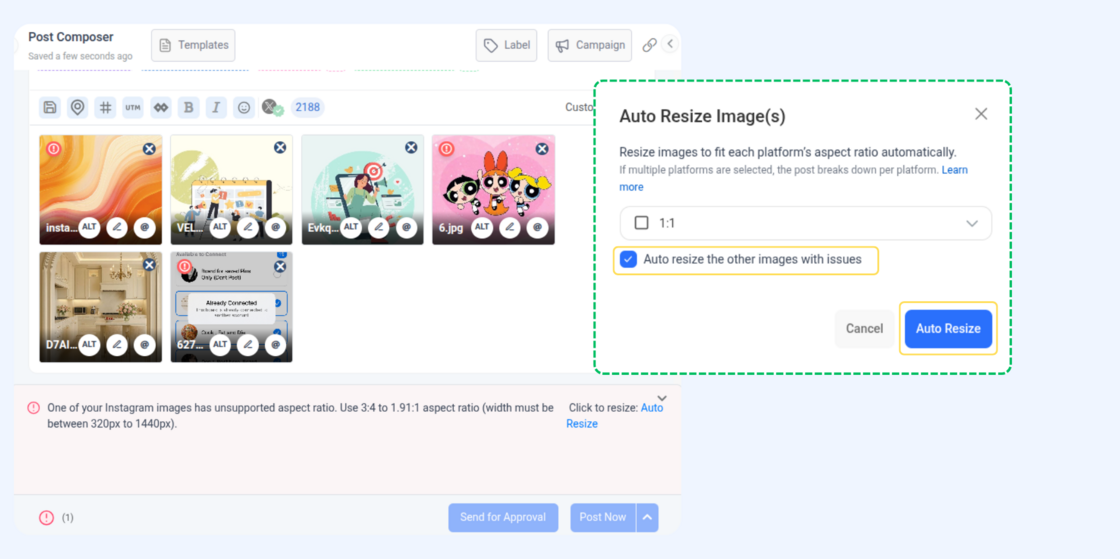
For more details, check: Auto-Resize Images in Composer
Tagging Enhancements
Instagram tagging just got more versatile. You can now mention relevant accounts across additional content formats, making your posts more engaging and easier to discover.
- Tag on Videos 🎥 – Add tags directly to your Instagram videos to credit brands, partners, or featured accounts. This ensures the right people are highlighted when sharing video content.
- Tag on Stories – Mention accounts in your Instagram Stories to increase visibility and create a stronger connection with your audience.
With these enhancements, your tagging options now extend beyond photos, giving you more flexibility and reach across Instagram.
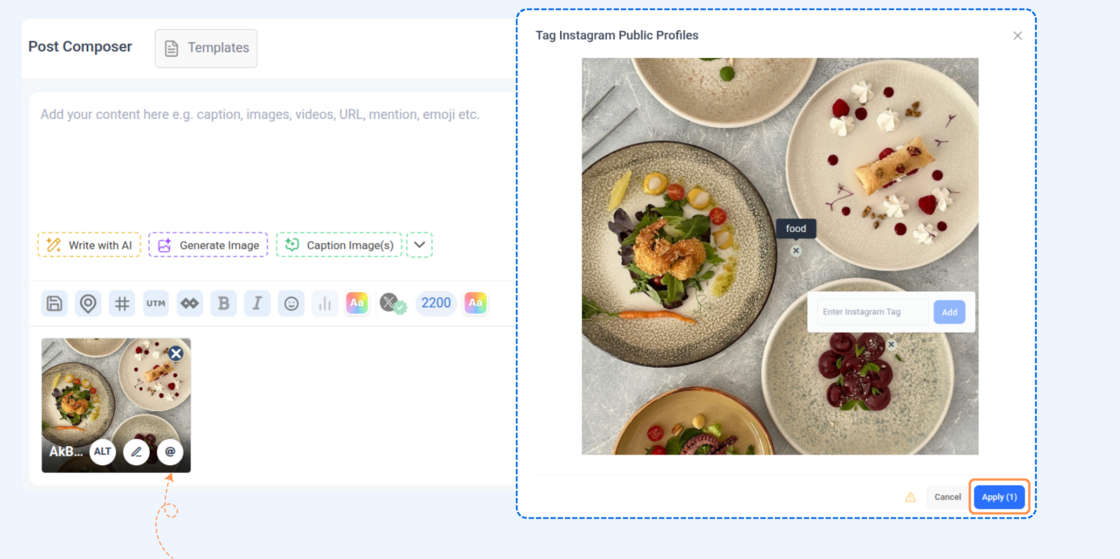
For more details, check: Instagram Tagging
Other Improvements and Fixes
- Overall UI/UX refinements and stability updates for a smoother publishing experience.
- There was an issue where duplicate post settings were not consistently retained across certain platforms. This has now been fixed.
- There was an issue with notification handling, where clicking a notification did not always show the related comment. This has now been fixed.