Contentpen integration, AI variations in Evergreen, new default views, and new controls for shareable link, other improvements, and fixes
Contentpen Integration for Blog Posts✍️
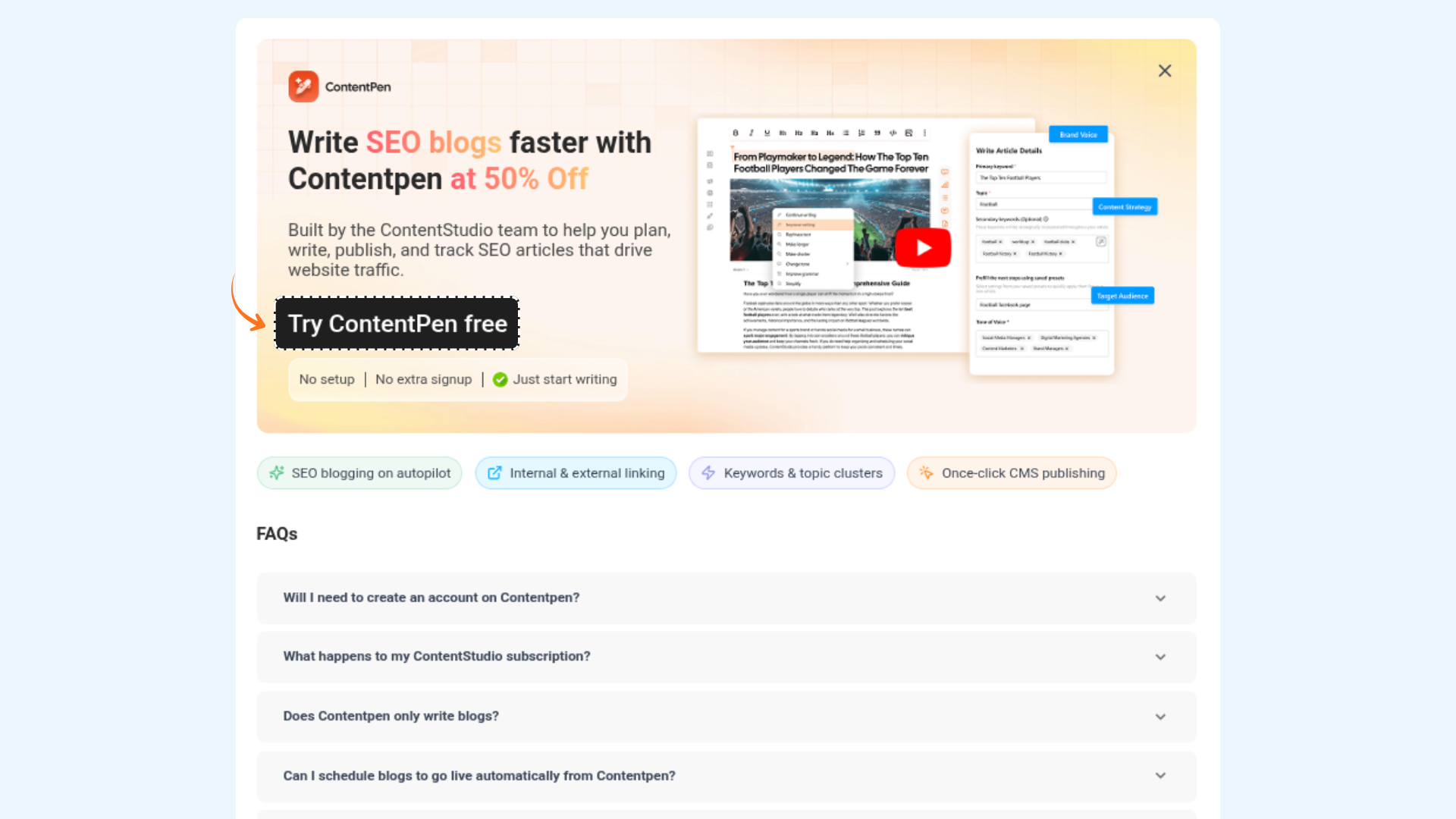
Creating long-form blog content just got a whole lot easier. ContentStudio now integrates with Contentpen — a dedicated AI blog writing tool — so you can go from idea to fully written, publish-ready article without ever leaving your workflow.
Here's what's new:
- Blog Post Option in Compose — A new Blog Post option now lives in the Compose Post dropdown, giving you a direct entry point into Contentpen's AI-powered writing experience right from your ContentStudio homepage.
- Seamless Account Setup — No starting from scratch. Contentpen pulls your name and account details directly from ContentStudio, so your profile is partially set up before you even begin onboarding.
For more details, check: ContentPen Integration in ContentStudio
AI Variations for Evergreen Campaigns
Your Evergreen campaigns just got a serious upgrade. ContentStudio can now generate AI-powered variations of your posts automatically — so your content stays fresh, on-brand, and never repetitive, without the manual effort.
Here's what's new:
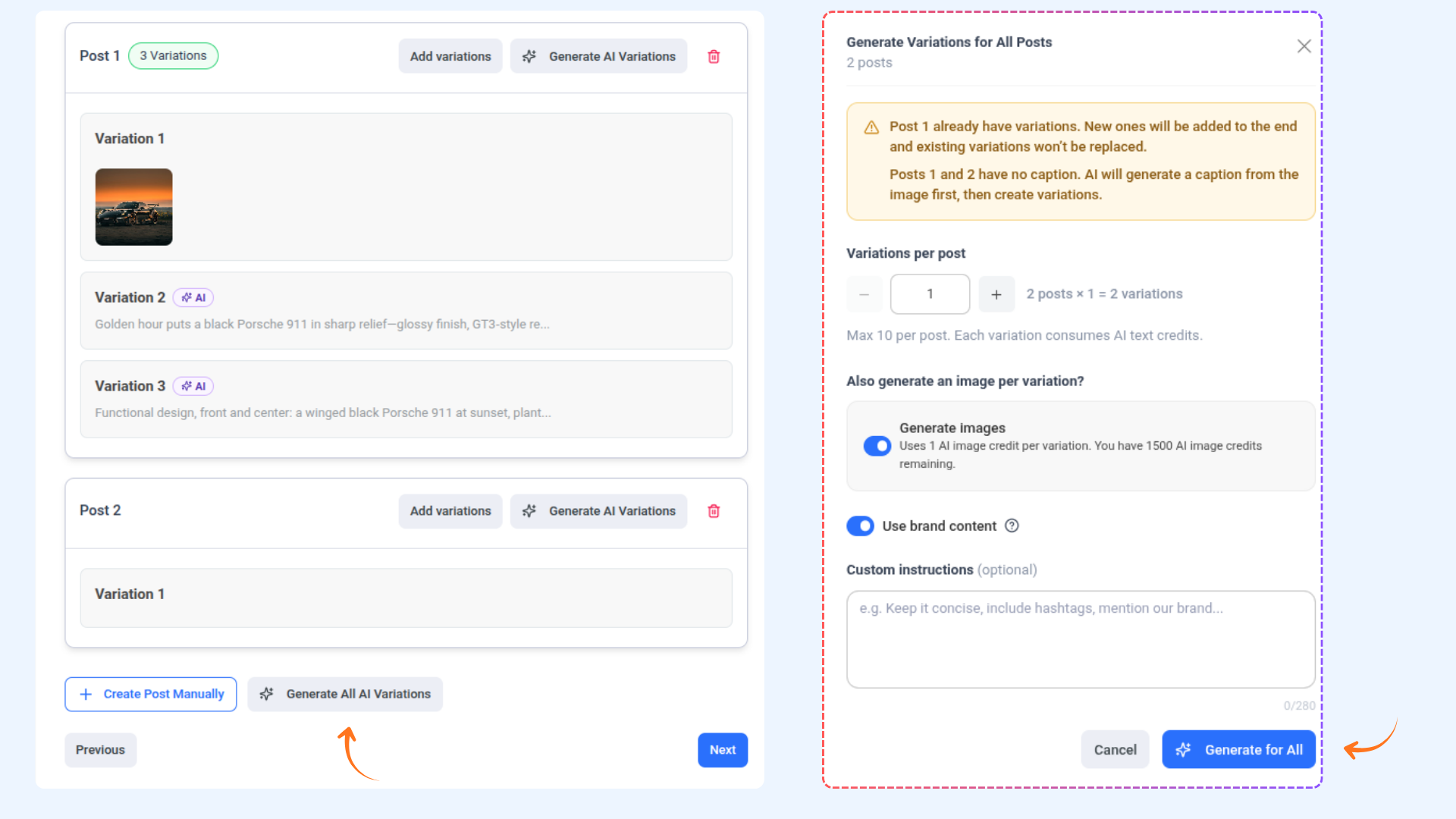
- AI Variations Per Post — Each post now has its own Generate AI Variation button. Open the modal, set your preferences, and let AI do the heavy lifting — instantly creating multiple unique versions of your content.
- Bulk Generation — Don't want to go one by one? Hit Generate All AI Variations and apply your settings across every post in the campaign at once. One click, done.
- Brand Voice Built In — Toggle on Use Brand Content to make sure every AI-generated variation sounds like you — consistent tone, consistent style, every time.
- AI-Generated Images — Need visuals too? Enable Generate AI Images to pair each variation with a matching image automatically.
For more details, check: How to recycle posts using Evergreen automation recipe
🗓️ New Default Views in Planner
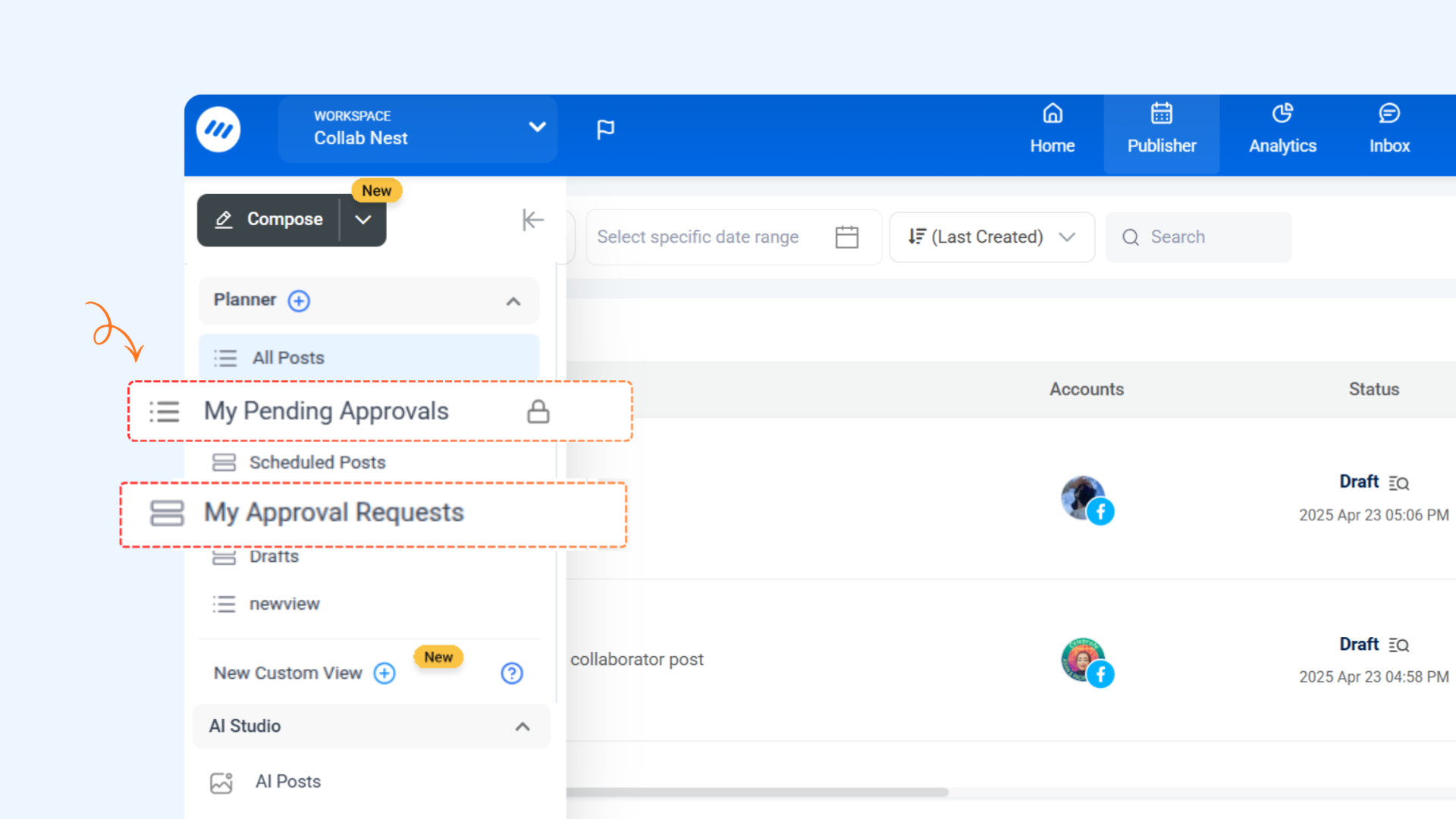
Keeping track of approvals just got a lot easier. The Planner now comes with two built-in default views so you can instantly see what needs your attention — no manual filtering required.
Here's what's new:
My Approval Requests — See all posts waiting for your approval in one dedicated view. No more digging through your full content calendar to find what needs a decision.
My Pending Approvals — Track all posts you've submitted for approval that are still awaiting a response. Stay on top of your submissions and follow up where needed.
For more details, check: Custom Views in Planner
🔗 New Controls for Shareable Links in Planner
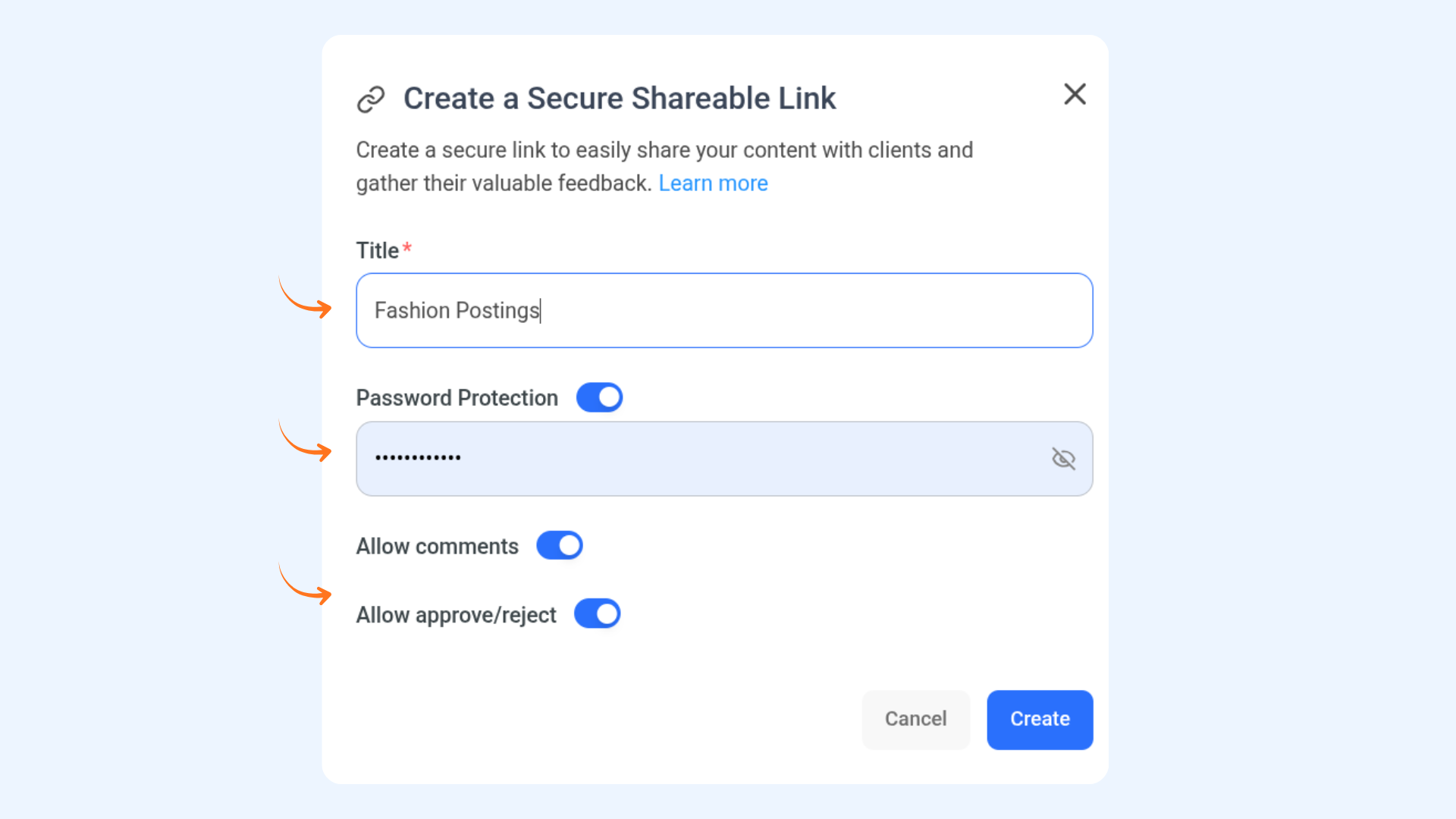
Shareable links just became a full collaboration tool. You can now give reviewers the ability to comment and make approval decisions directly from the link — no ContentStudio login required.
Here's what's new:
- Allow Comments — Toggle this on to let anyone with the link leave comments on the post, making feedback collection faster and more seamless.
- Allow Approve/Reject — Toggle this on to let reviewers approve or reject the post directly from the shared link, without needing access to your ContentStudio workspace.
For more details, check: Share posts for approval with a public link
Improvements And Fixes
- We have fixed an issue where the Authorize button for Webflow was appearing inactive due to the website not being fetched correctly during the connection setup, preventing users from completing the authorization flow.
- We have fixed an issue where competitor analytics and post thumbnails were not updating correctly. Improvements have been made to speed up future sync jobs.
- We have fixed an issue where posts were reverting back to draft status instead of moving forward in the approval workflow.