Custom views in Planner, feed view revamped, Instagram direct connection in Inbox, other improvements and fixes
Custom Views in Planner
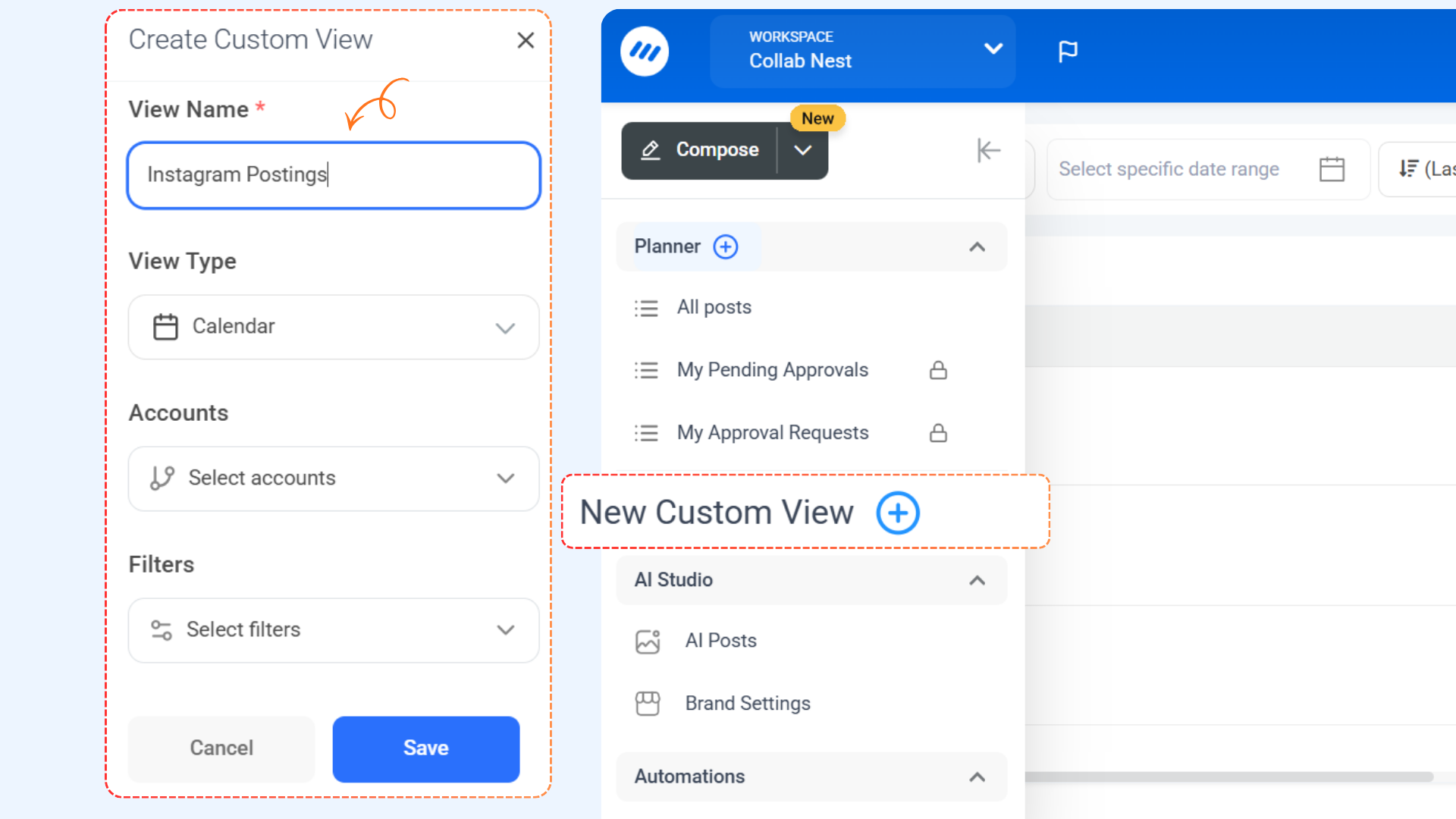
Custom Views in Planner make planning feel effortless by letting you save your preferred setup and jump right back into it anytime. Instead of reconfiguring your layout each time, you can create personalized views that match how you plan and manage content.
Here's what's new:
- Create Custom Views: Save your preferred Planner setup in just a few clicks and reuse it whenever you need.
- Quick Access: Instantly switch between saved views from the Planner sidebar or view selector without breaking your workflow.
- Manage Views: Edit or delete existing views, or set any view as your default to keep your Planner working your way
For more details, Check: Custom Views in Planner
🌍 Multi-Language Support for the Android App
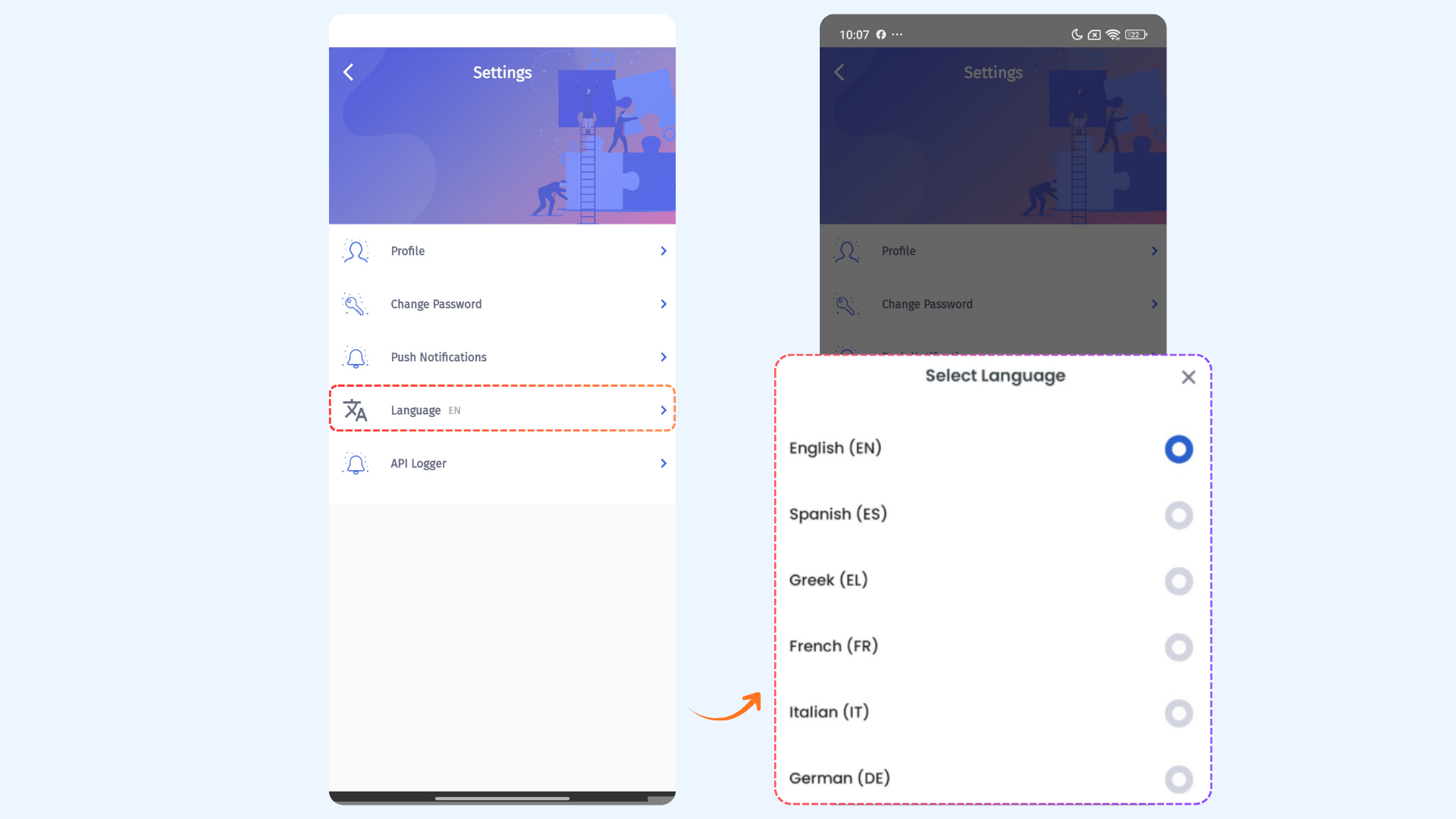
The ContentStudio Android App is now fully multilingual — giving you a seamless, localized experience wherever you manage your content. Switch to your preferred language and the app updates instantly.
Here's what's new:
- Global Language Options – Choose from six supported languages: English, French, German, Italian, Spanish, and Greek — with more coming soon.
- Instant App Translation – Once updated, the entire Android app automatically reflects your selected language across all screens, menus, and features.
For more details, Check: Multi-Language Support for Android App
Feed View Revamped
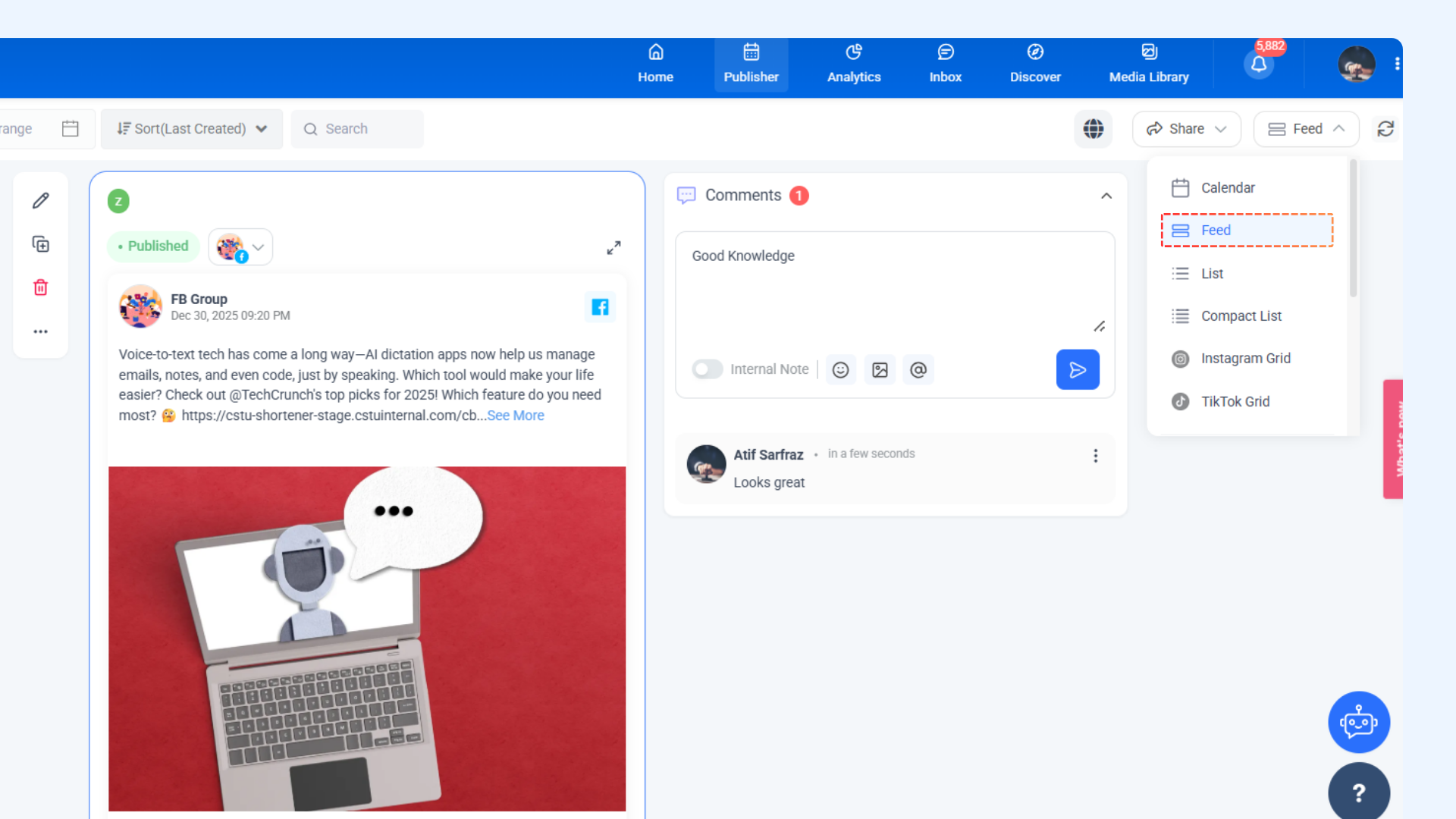
The Feed View in Planner has been refreshed to give you a smoother, more intuitive experience. Managing posts and staying on top of updates is now easier, faster, and visually cleaner.
Here's what's new:
- Improved Workflow & UX: Streamlined actions, quick-access controls, and a cleaner, more intuitive layout make managing posts faster, easier, and more focused.
For more details, Check: What is Planner and how to view posts in Planner?
Direct Instagram Support in Inbox
We’ve enhanced the Inbox experience by adding support for directly connected Instagram accounts, giving you more control and flexibility when managing conversations. You can now handle Instagram messages alongside your other channels and keep everything organized in one place.
Here’s what’s new:
- View and manage messages from directly connected Instagram accounts.
- Reply to conversations without switching tools or interfaces.
For more details, Check: Which channels are supported by social inbox?
Other Improvements and Fixes
- Fixed an issue where the shareable calendar link sometimes didn’t display all posts and ensured the week start aligns with workspace settings.
- Resolved a case where newly uploaded OMBL content was not appearing in the Discovery feature.
- Fixed RSS feed image inconsistencies when publishing posts to Instagram, Facebook, and LinkedIn.
- Updated Instagram analytics to correctly reflect follower growth over time.
- Resolved a connection issue for certain accounts during setup to ensure smooth integration.
- Fixed plugin API errors to restore reliable communication between ContentStudio and connected blogs.
- Ensured Instagram competitor data updates properly and displays profile images for all competitors.
- Improved the subscription workflow so users can resubscribe to the same plan without upgrade issues.
- Fixed an issue where videos shared via “Share via Link” were not playing for team members.
- Workspace name is now included in email subject lines for easier identification and filtering.
3