Data Studio integration, ContentStudio CLI, calendar views in planner
Data Studio Integration in ContentStudio Analytics 📊
Your reporting workflow just got a major upgrade. ContentStudio now integrates directly with Google Data Studio, making it easier than ever to turn your social media analytics into beautiful, fully customizable dashboards. No more manual exports or piecing reports together in spreadsheets. Your ContentStudio data now flows directly into Data Studio, so you can build live dashboards, monitor performance in real time, and share polished reports with clients or your team effortlessly.
Here’s what’s new:
- Direct Data Studio Integration — Connect your ContentStudio analytics with Google Data Studio in just a few clicks and start building reports instantly.
- Real-Time Performance Dashboards — Visualize follower growth, engagement, reach, impressions, and post performance with automatically refreshed data.
- Ready-to-Use Templates — Get started faster with pre-built dashboard templates that automatically populate your analytics data.
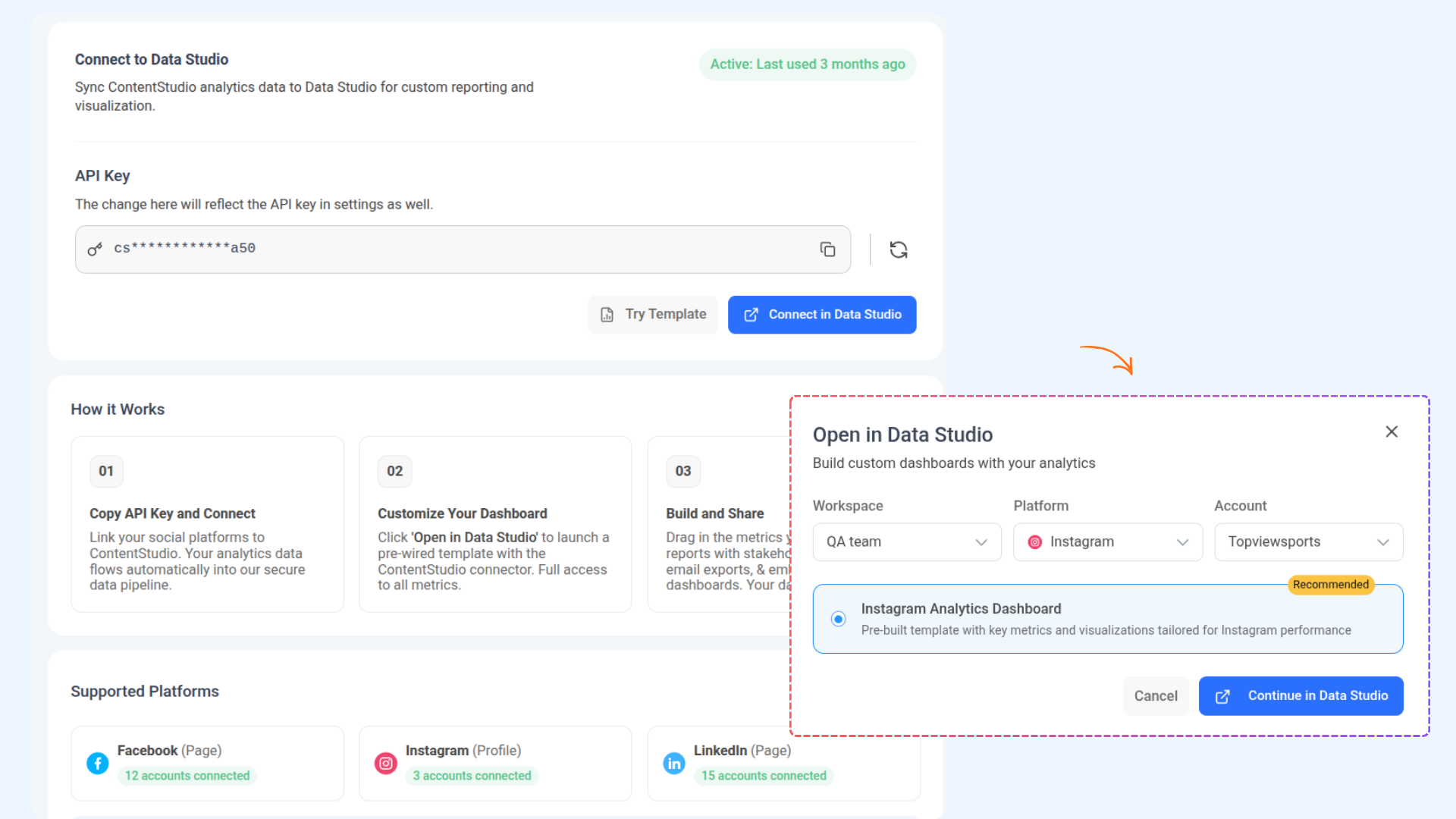
For more details, check: Data Studio Integration in Analytics
ContentStudio CLI is Here 💻
For users who prefer speed, automation, and full control, ContentStudio is now available from the command line. The new ContentStudio CLI gives developers and power users direct access to their entire workspace through the terminal. Schedule posts, manage approvals, upload media, connect accounts, and automate workflows — all without opening the dashboard.
Here’s what’s new:
- Full Workspace Control & Publishing — Manage everything from posts and media to approvals, comments, and connected accounts прямо from your terminal. Create and publish platform-specific content across Facebook, Instagram, LinkedIn, TikTok, YouTube, Pinterest, and more — all with simple commands.
- Built for Automation & Developers — Integrate ContentStudio into your scripts, CI/CD pipelines, or AI workflows with structured JSON output and seamless compatibility with tools like Claude Code, Cursor, and Codex.
- Fast, Flexible & Safe to Use — Authenticate once, switch between workspaces easily, and use dry-run mode to preview actions before executing — giving you full control without breaking anything.
For more details, check: ContentStudio's CLI
New Calendar Views in the iOS Planner 📅
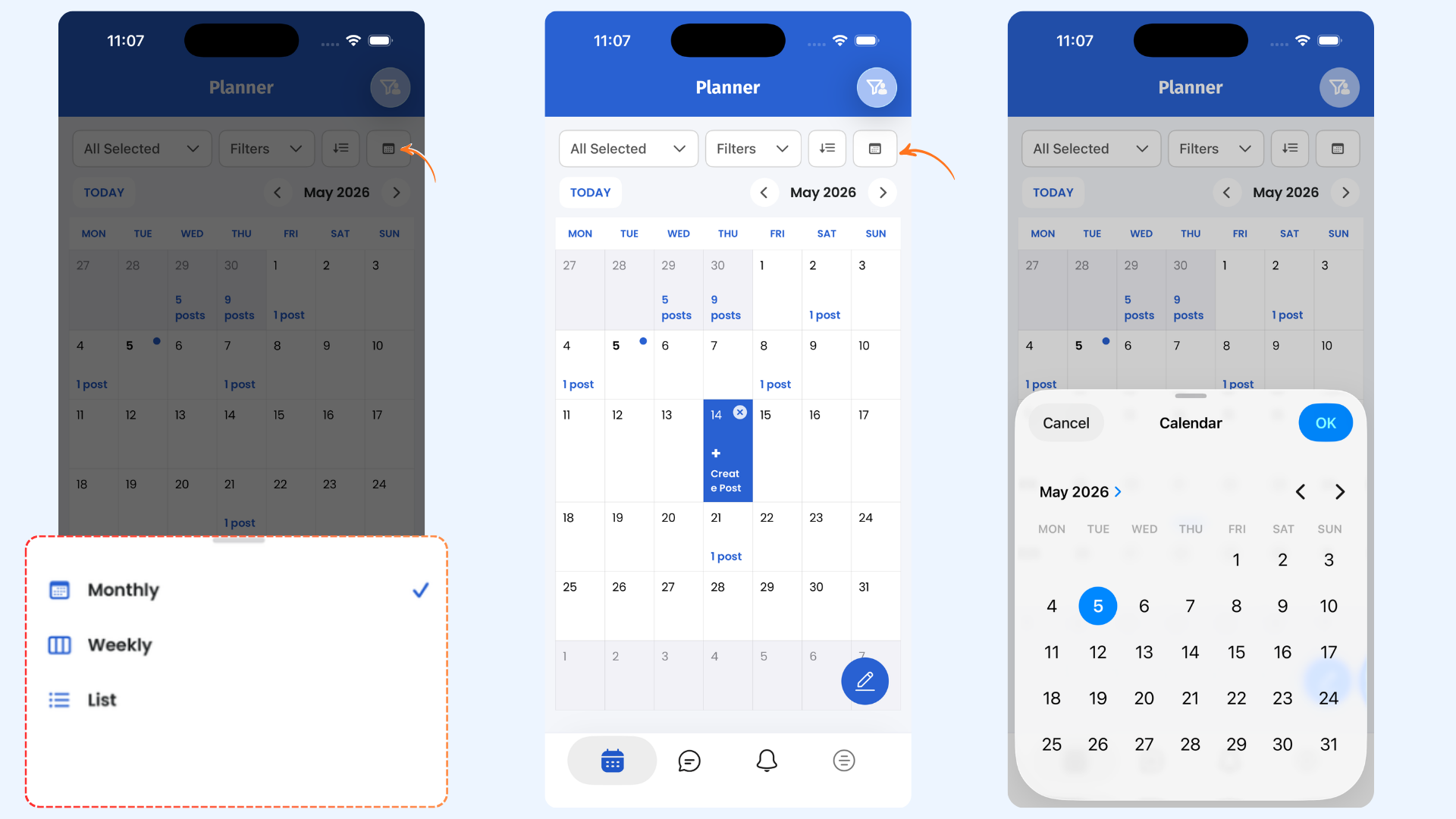
Planning content on mobile just got more intuitive. The ContentStudio iOS app now introduces two new calendar views designed to give you better visibility and control over your publishing schedule.Whether you're planning your week in detail or mapping out an entire month, the new Planner views make scheduling content from your phone faster and more organized.
Here’s what’s new:
- Weekly and Monthly Calendar View — Review and manage your content schedule day by day for better short-term planning.
- Create Posts from the Calendar — Tap on any day in the calendar to instantly create and schedule a post for that date. No extra steps, no switching screens.
For more details, Check: Mobile app planner (iOS)