GBP analytics, auto replies in inbox, other improvements, and fixes
📊 Google Business Profile Analytics
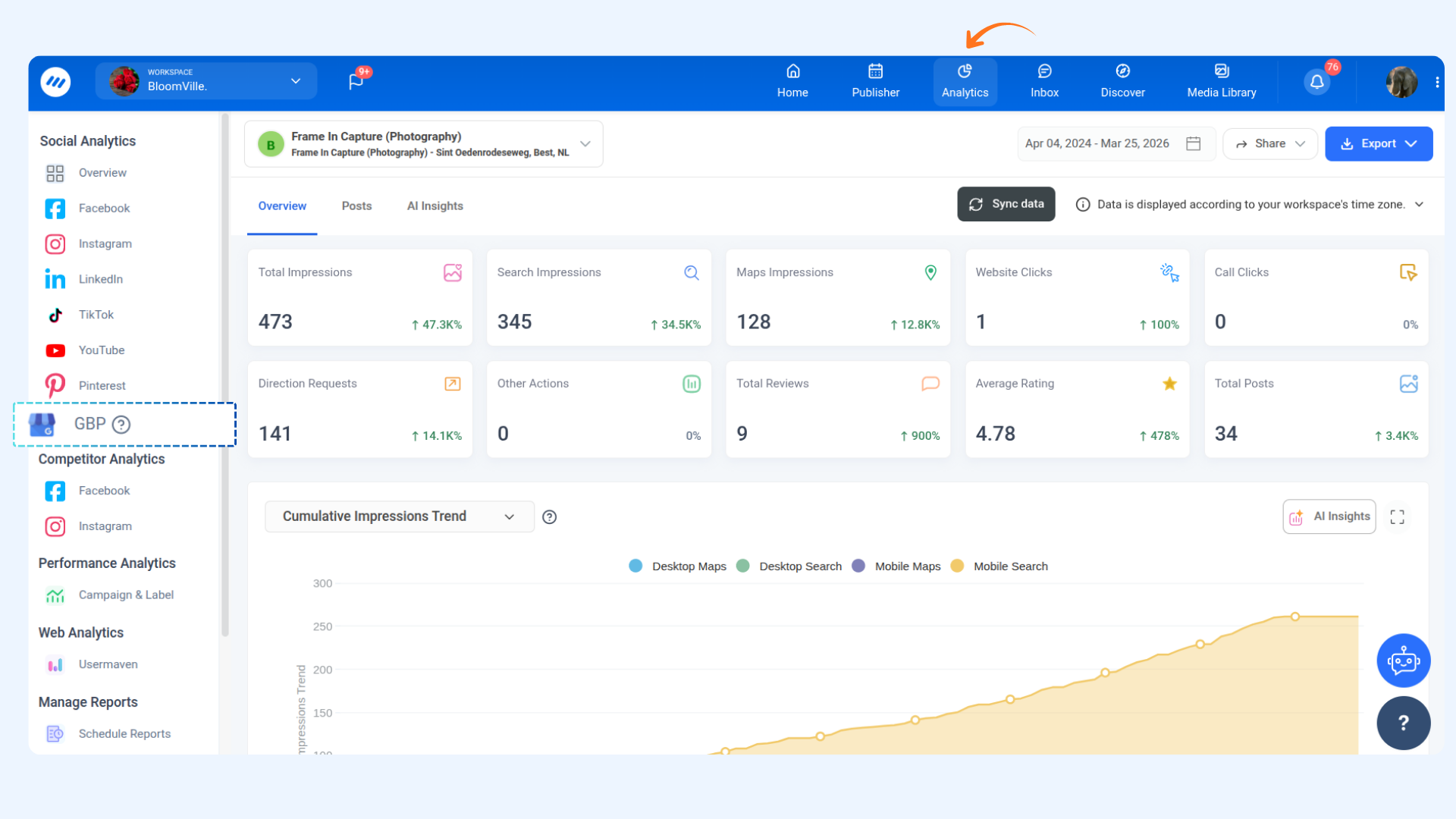
Your Google presence just got a whole lot more measurable. ContentStudio now supports analytics for your Google Business Profile — so you can see exactly how customers are finding and interacting with your listing on Google Search and Maps, right from your analytics dashboard.
Here's what's new:
- Impressions & Engagement — Monitor how often your listing appears in Search and Maps, and track actions such as website clicks, call clicks, directions requests, and more.
- Reviews & Ratings — Keep tabs on your total reviews, average star rating, and daily review trends over any selected time period.
- Media Activity, Top Keywords & Recent Posts — See how your listing's media is growing, discover what search terms are driving visibility, and review your most recently published GBP posts.
For more details, check: Google Business Profile Analytics
📨 Auto Replies in Inbox
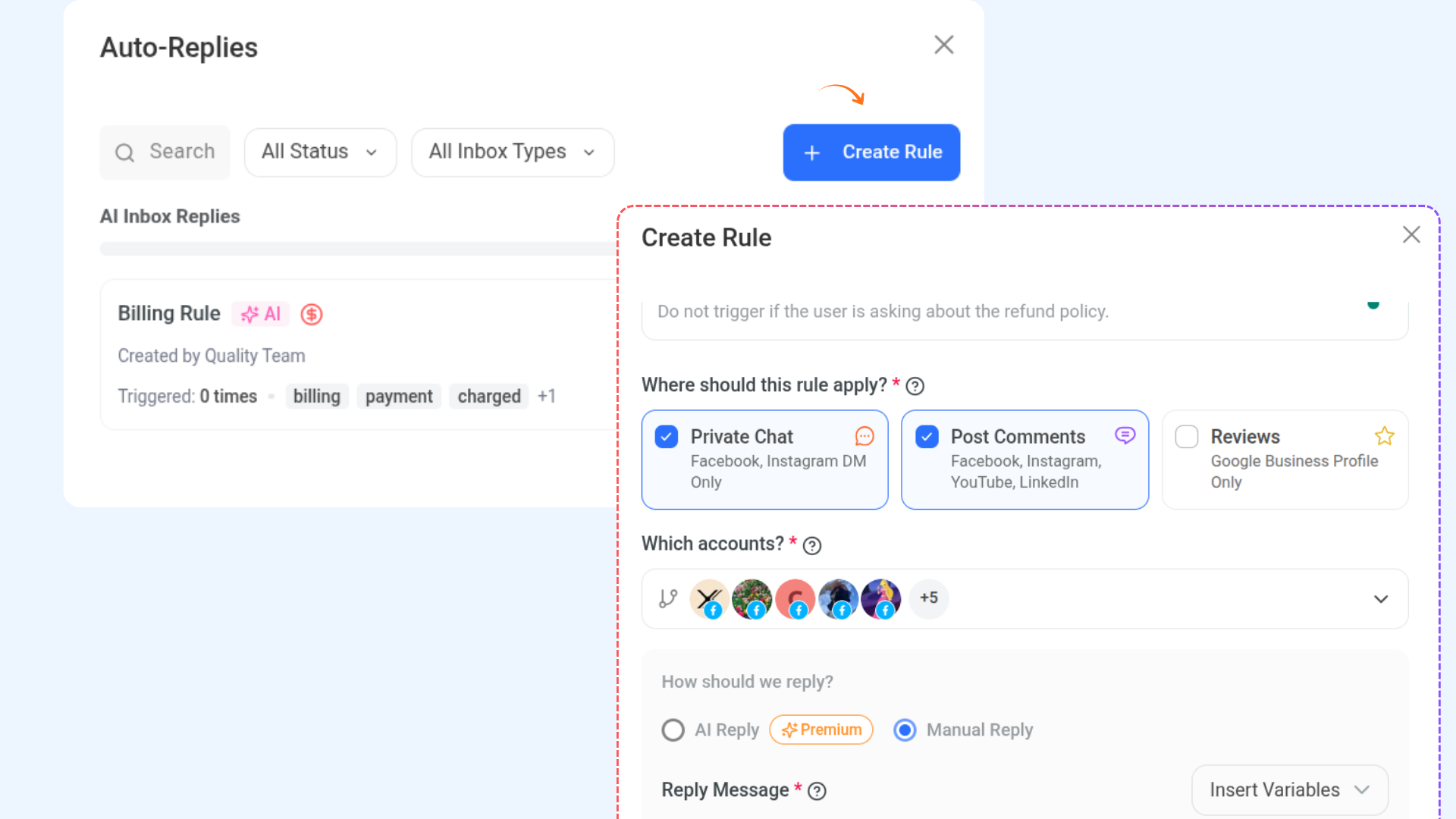
Your inbox just got a whole lot smarter. ContentStudio now lets you set up automated replies for incoming messages, comments, and reviews — so your audience always gets a response, even when your team is offline.
Here's what's new:
AI-Powered Replies — Let ContentStudio's AI generate contextual, dynamic responses automatically based on your instructions and brand voice. Choose to send instantly or save as a draft for review first.
Manual Reply Rules — Prefer full control? Write your own fixed reply and use dynamic variables like first name or email to keep messages feeling personal.
Flexible Trigger Setup — Define keyword triggers and AI detection instructions to make sure rules only fire when they should — across private chats, post comments, and Google Business Profile reviews.
For more details, check: Auto Replies in Inbox
Other Improvements and fixes
- Team Members Modal updates- You can now invite multiple team members at once by adding multiple emails in a single go. The modal has also received a UI refresh with a cleaner permissions and roles experience.
- Brand Knowledge in AI Studio- The Brand Knowledge button has moved into the chat box for quicker access. Brand voice and style selections now apply only to the current chat and the specific text being generated, rather than updating globally across the entire app — giving you more precise control over your content tone.
- Analytics Error Messaging- When a widget fails to load data, an error message is now properly displayed in the UI instead of showing a blank widget.
- Smart Scheduling Auto Time Distribution: Posts are now automatically distributed evenly across your chosen date range. If no range is provided, Smart Scheduling spaces them out daily starting 60 minutes from now — so your content keeps moving without any manual time-picking.
- Smart Scheduling Follow-up Updates- Follow-up actions across different scheduling modes are now more intuitive. Depending on the context, prompts either drop into the input field for you to review, get sent directly, or take you straight to the Planner — keeping the flow smooth from start to finish.
- Nano Banana 2 — New Image Generation Model: We've added Nano Banana 2 as the latest image generation model inside ContentStudio. It brings high-fidelity image generation with multi-modal reasoning and improved text rendering — meaning sharper visuals and more accurate results when your images include text.
- Post Deletion via API- You can now delete published posts directly through the ContentStudio API. This makes it easier to manage and clean up content programmatically without needing to log into the native app.