New image and video tools, sample workspace, improvements, and fixes
New Feature
Improvement
Fix
Integrations
🎬 New AI Video & Image Tools in AI Studio
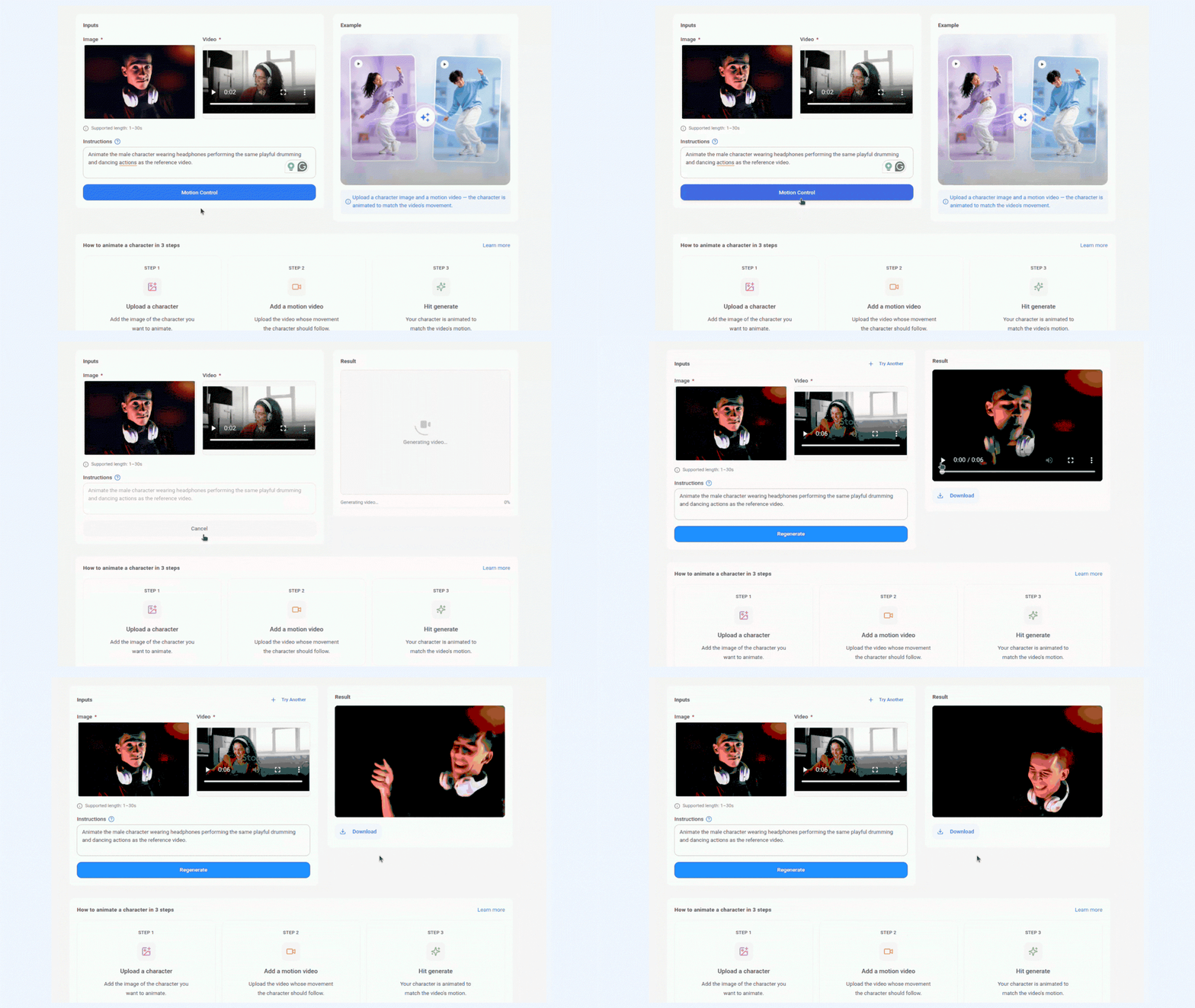
AI Studio just got a serious creative upgrade. Three powerful new tools are now live, giving you more control over how your visuals look, move, and feel. Direct your video motion frame by frame, sync audio to lips automatically, or transform an existing image into something entirely new. This is the kind of creative control that used to take a full production team.
Here's what's new:
- Motion Control — Direct how your AI-generated videos move, giving you precise control over the motion and flow of your visuals.
- Lip Sync — Sync audio to video automatically, perfect for branded content, product videos, and more.
- Image to Image — Upload an existing image and transform it into something new while keeping the core elements intact.
For more details, check: AI Studio
Introducing the Sample Workspace
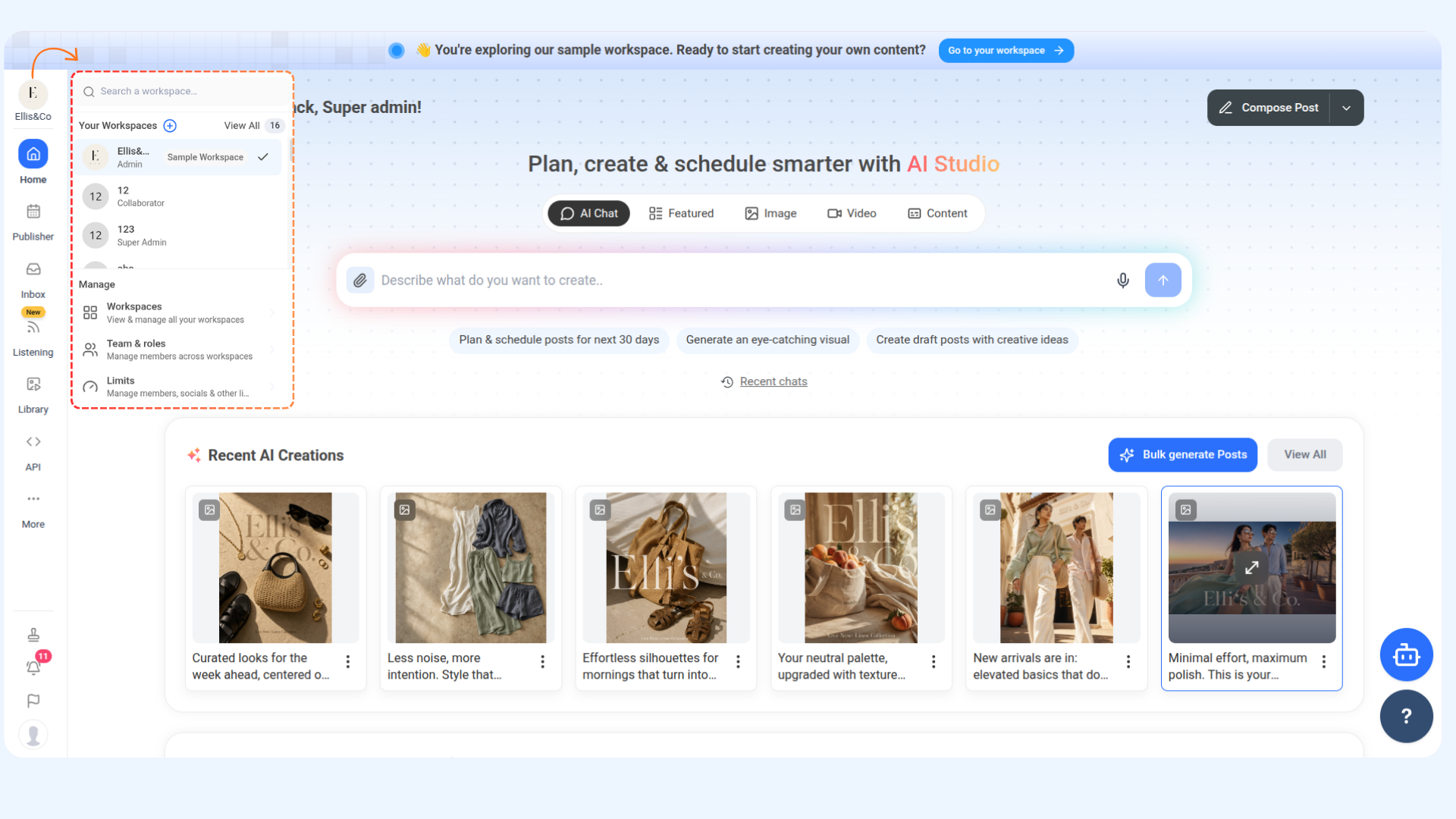
Ever wanted to see exactly what ContentStudio looks like when it's fully up and running — before setting anything up yourself? Now you can. We've built a Sample Workspace that comes pre-loaded with everything you need to explore the full product from day one. Just open the workspace dropdown and switch in.
Here's what's inside:
- Connected Social Accounts — See how platform settings look across different networks without connecting your own accounts.
- A Fully Planned Content Calendar — Get a real feel for how scheduled content looks when your pipeline is running at full capacity.
- Populated Media Library — Browse how assets are organized and managed inside ContentStudio.
Improvements & Fixes
- Added default custom views in planner that are automatically created when a new team member joins a workspace, so they're ready to go from day one.
- You can now create evergreen automations from posts already available in the Planner. The automation wizard will be prepopulated with the selected post details, helping you recycle content more quickly and easily.
- Fixed an issue where uploading media to the Content Library was failing for some users, regardless of the file type or upload method used.
- Fixed an issue where shared calendar links were not retaining the applied planner filters, causing all posts to appear instead of only the filtered view.