Push notification confirmation & smart scheduling guided flow
New Feature
Improvement
📱Push Notification Posts — Now with Status Confirmation
Keeping track of whether a push-notified post was actually published is no longer a guessing game. ContentStudio now includes a built-in confirmation flow that lets you update your post status directly — whether from the iOS app or the web-based Planner. No more ambiguity, no more manually checking your social profiles.
Here's what's new:
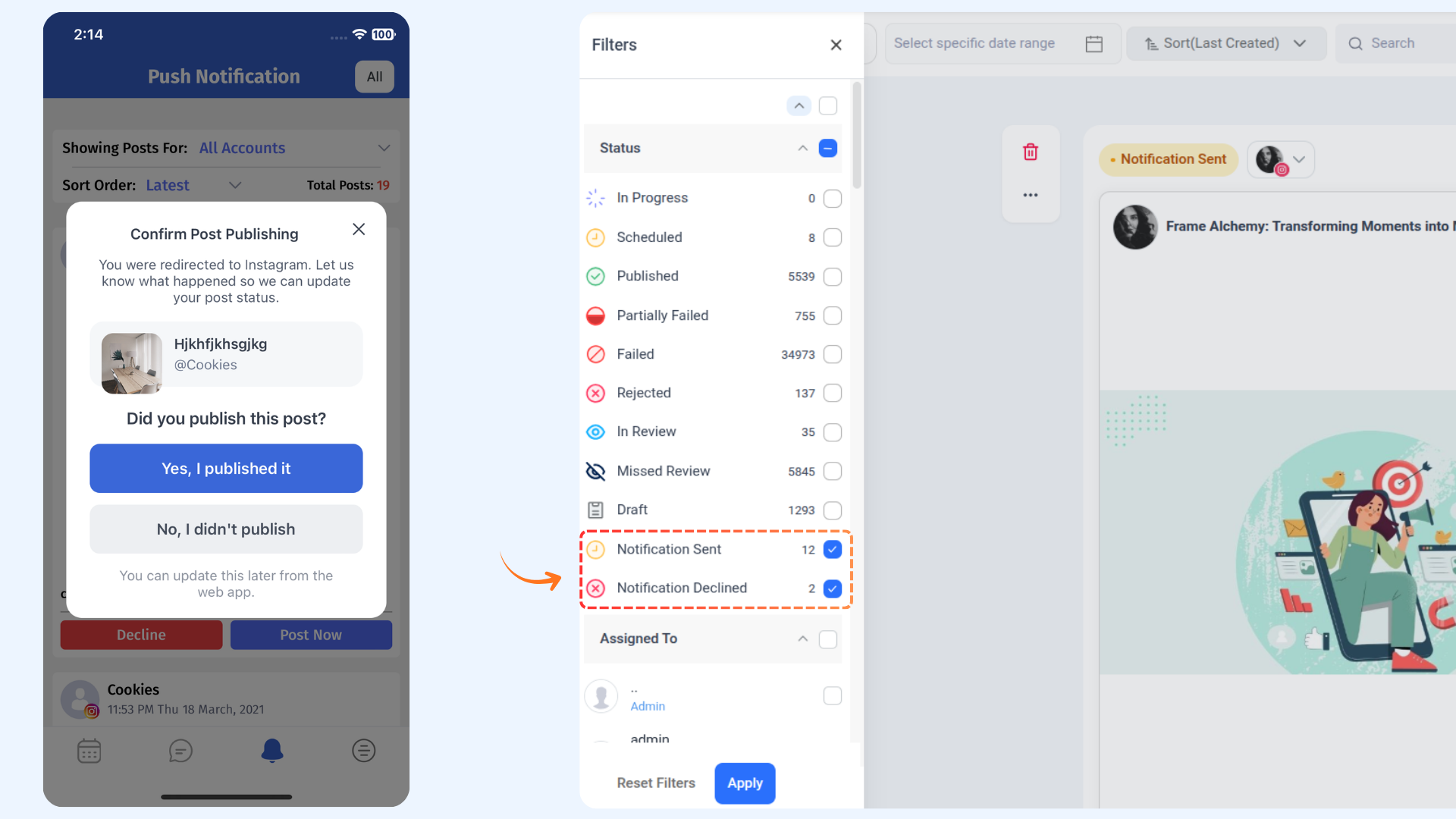
- Post Confirmation Pop-up (iOS) — After being redirected to Instagram to publish, the next time you open the ContentStudio app, you'll be asked whether the post was successfully published or not. Your answer automatically updates the post status in the Planner.
- New Planner Filters — Two new status filters have been added to the Planner: Notification Sent (posts awaiting confirmation) and Notification Declined (posts where the notification was declined on mobile).
- Confirm from the Web App — Missed the pop-up on your phone? No problem. Open the Planner, filter by Notification Sent, click on any post, and use the "I published this" or "I didn't post this" buttons to update its status right from the post preview.
For more details, check: Push Notifications on iOS
Smart Scheduling Guided Flow
AI Studio's scheduling experience has been improved to feel more guided and intuitive from the very first interaction. Instead of starting from a blank chat, you're now walked through the process step by step — making it faster and easier to go from idea to scheduled post.
Here's what's new:
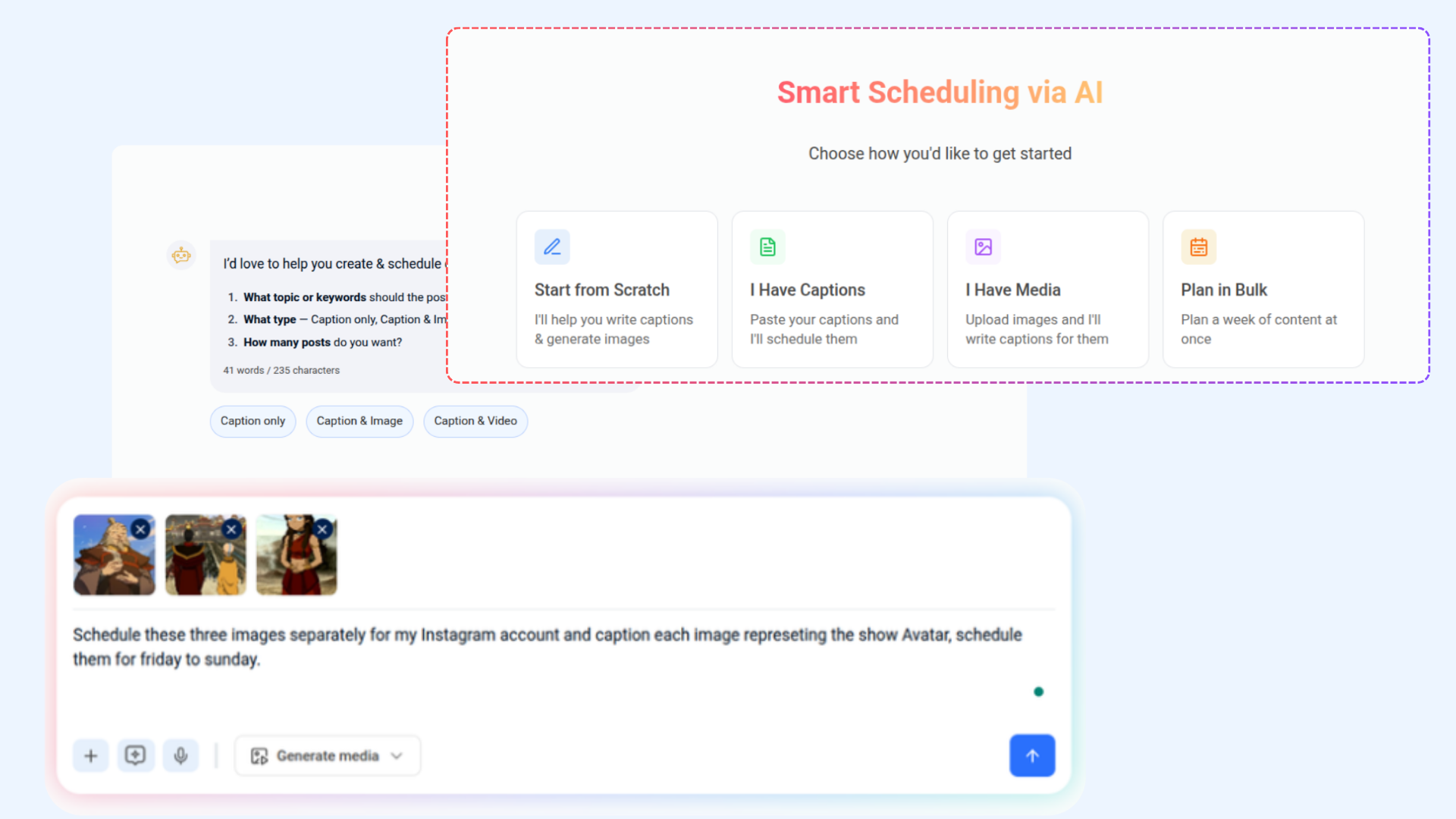
- Guided Quick-Start Options — When you open AI Studio, you'll now see a set of starting points to choose from — such as starting from scratch, pasting existing captions, uploading media, or planning in bulk. Each option sets the right context so the AI knows exactly how to help you.
- Contextual Follow-up Buttons — As the conversation progresses, AI Studio now surfaces relevant quick-reply options based on what it needs to know next — like your preferred content type. This reduces back-and-forth and keeps the flow moving without extra typing.
For more details, check: Smart Scheduling
3