Smart scheduling, AI media tools, web search, Instagram direct in Inbox & fixes
Smart Scheduling
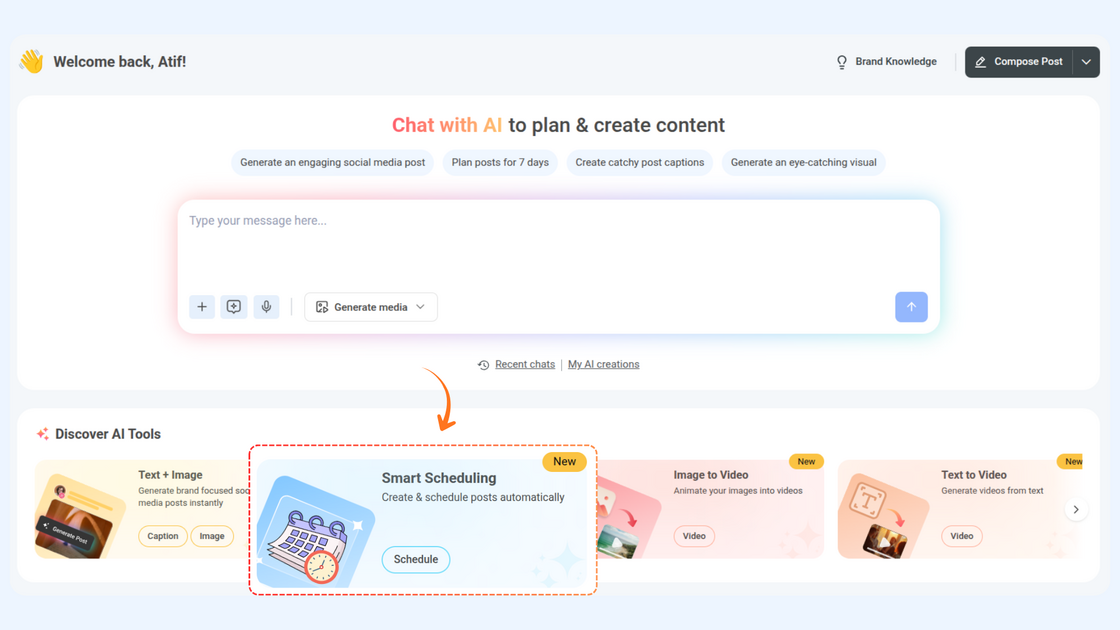
Meet Smart Scheduling — your AI-powered content assistant designed to make creating and publishing posts faster, easier, and smarter. Chat with AI to generate engaging content, refine your captions, and attach media in seconds. With support for bulk scheduling and posting across multiple accounts, Smart Scheduling helps you plan days or weeks of content in one go.
Here’s what’s new:
- Seamless Post Creation – Type your prompt or choose from pre-written suggestions, select social accounts, attach media, and let Smart Scheduling handle the rest. No switching between apps or tabs needed.
- Bulk Scheduling Made Easy – Upload multiple images, generate captions automatically, and schedule several posts at once. Perfect for weekly campaigns or recurring content.
- Multi-Account Support – Post to one or multiple social accounts simultaneously by specifying account names or IDs.
For more details, check: Smart Scheduling
AI Video & Image Generation — Powered by New Models
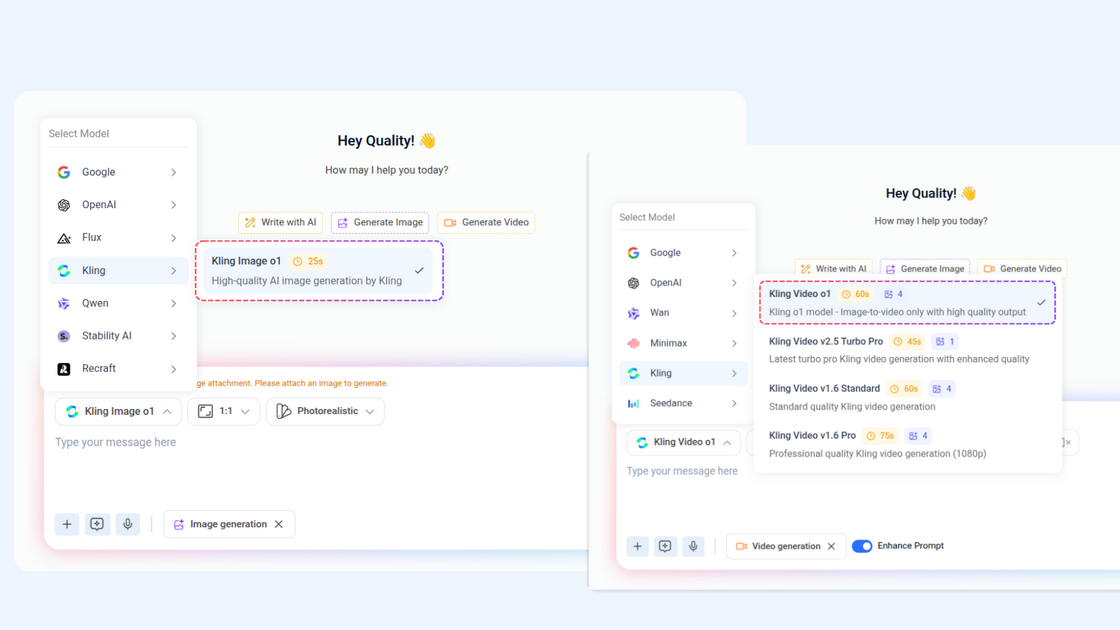
We’ve expanded ContentStudio’s AI capabilities with the latest high-quality models, giving you even more creative freedom. Now you can generate stunning images and videos faster, with richer detail and higher visual fidelity than ever before. professional.
Here's what's new:
- Kling Video o1 – Transform your images into high-quality videos effortlessly with this Image-to-Video model.
- Kling Image o1 – Generate stunning, high-quality AI images with ease.
For more details, check: AI tools in ContentStudio
Web Search in Chat
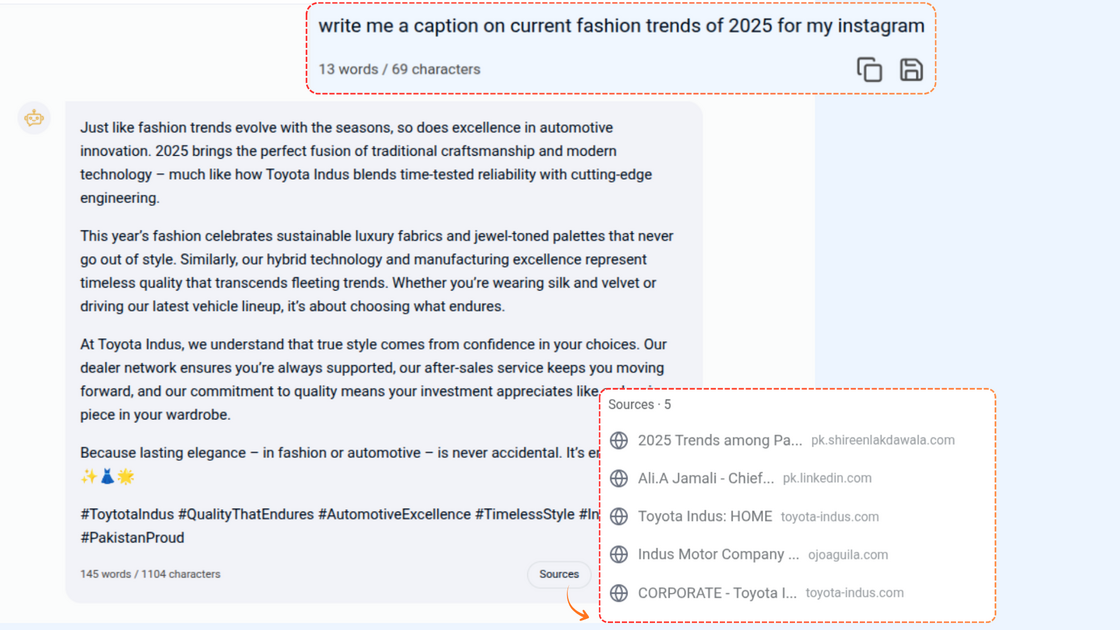
Web Search in Chat brings the power of the web right into AI Studio. Now, you can explore topics, gather information, and analyze content without leaving the chat — all in one place. It’s simple, fast, and intuitive, helping you get the answers you need instantly.
Here’s what’s new:
- Prompt-Based Search – Type your query in the chat and let the AI pull in helpful information from the web.
- Link Analysis – Share your own links and ask the AI to summarize, analyze, or extract key points.
- Summarized Results – Receive concise, relevant responses from multiple sources, saving you time and effort.
For more details, check: How to use ContentStudio's AI Studio
Direct Instagram Support in Inbox
We’ve enhanced the Inbox experience by adding support for directly connected Instagram accounts, giving you more control and flexibility when managing conversations. You can now handle Instagram messages alongside your other channels and keep everything organized in one place.
Here’s what’s new:
- View and manage messages from directly connected Instagram accounts.
- Reply to conversations without switching tools or interfaces.
Other Improvements and Fixes
- WordPress Plugin (v1.4.1) — fixed minor glitches to ensure smoother performance and reliability.
- Resolved various customer-reported issues and improved overall app workflow and reliability.
- Revamped Analytics UI, including Scheduled Reports, Download Report, and Report Settings — for a smoother, more intuitive reporting experience.