Streamlined onboarding, a dedicated API plan
New Feature
Improvement
Fix
Onboarding Just Got a Whole Lot Smarter 🚀
Setting up ContentStudio is now faster, more intelligent, and genuinely exciting. We've redesigned the onboarding experience from the ground up — so instead of spending time configuring things manually, you walk away with real, publish-ready AI content on your very first session.
Here's what's new:
- Smoother, Guided Steps — Onboarding now flows through a clean sequence of focused steps: account setup, plan selection, social channel connections, and brand profile — all in one seamless run with no dead ends or confusion.
- Website Fetch for Instant Brand Identity — Add your website URL during onboarding and ContentStudio automatically pulls your brand identity — voice, tone, style, and visual cues — so your AI content feels on-brand from day one. No manual setup required.
- AI Posts Generated Before You Even Start — Once your brand profile is set, ContentStudio generates four ready-to-use posts based on your brand voice. Open them in the Composer, save as drafts, or schedule directly — all from the dashboard before you've done a thing.
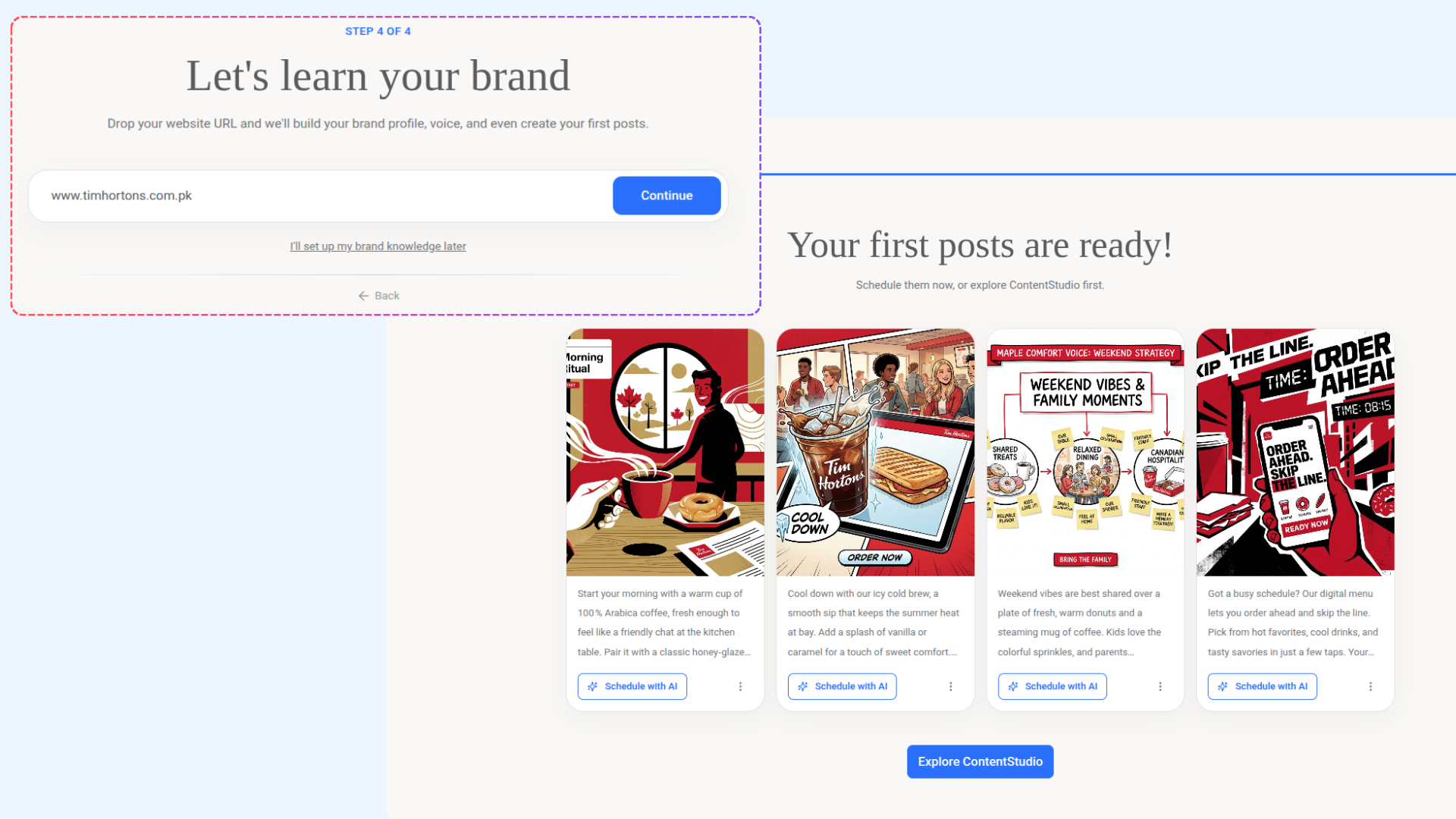
For more details, check: Onboarding with ContentStudio
Introducing a dedicated API Plan
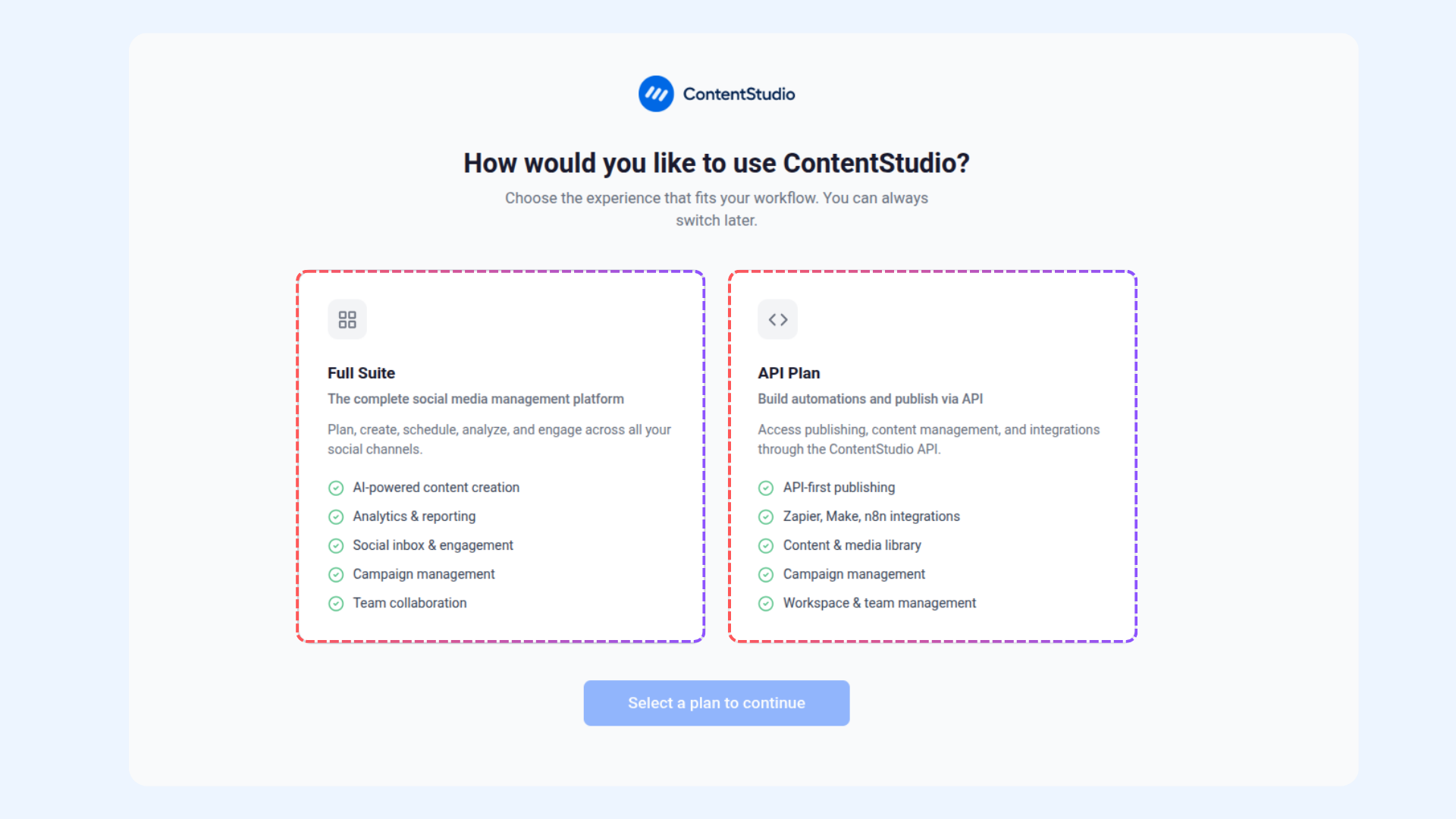
ContentStudio now offers two distinct plans tailored to how you actually work. The Full Suite remains your all-in-one social media management platform — content, scheduling, analytics, inbox, and everything in between. But now, if your workflow is built around automations and API-based publishing, there's a plan made just for you.
Here's what's new:
- Full Suite — The complete ContentStudio experience. AI-powered content creation, analytics & reporting, social inbox, campaign management, and team collaboration — all under one roof.
- API Plan — A focused, API-first plan for teams and developers who publish and automate programmatically. Includes API-first publishing, Zapier, Make & n8n integrations, content & media library, campaign management, and workspace & team management. No social dashboard overhead — just the tools you need to build.
Improvements and Fixes
- We have fixed an issue where the Template feature was not working when selected from the calendar on specific days, requiring users to access it via the Compose button to make it work.
- We have fixed an issue where the First Comment option was being automatically enabled for Instagram when editing scheduled posts.
- We have fixed an issue where collaborators could not be added to Instagram posts or reels when using a Social Post Template, while adding collaborators to posts created from scratch worked as expected.