Trusted devices, theme settings, social inbox updates
Trusted Devices for 2FA
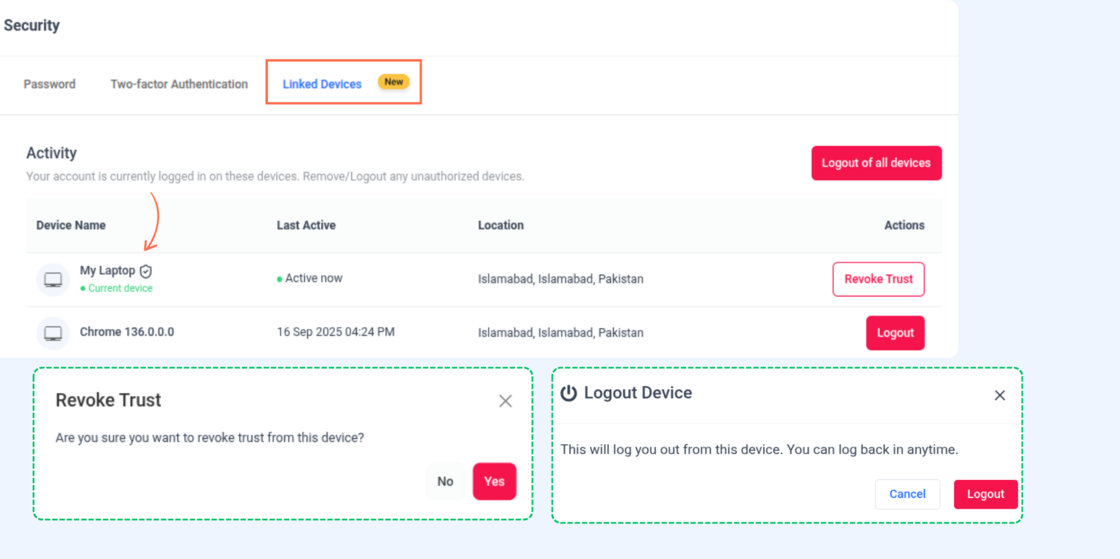
Stay in control of your account security with the new Trusted Devices feature. You can now mark devices as trusted during login, making your 2FA experience more convenient without compromising safety.
Here’s what’s new:
- Trusted devices – Mark devices as trusted during login or during 2FA setup process.
- Revoke trust – Instantly remove a device’s trusted status so it will require 2FA on the next login.
👉 Go to Your Profile → Security
For more details, check: The Content Studio 2FA authentication process
Theme Settings in White Label
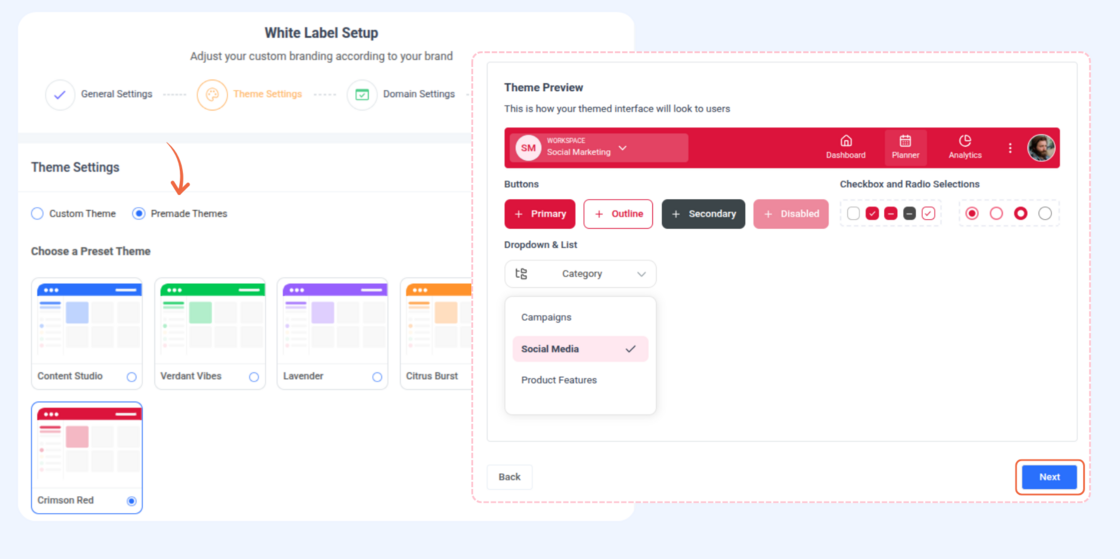
We’ve introduced Theme settings in White Label to give you greater control over how your platform looks and feels. Now you can match your workspace with your brand identity, whether that’s through your own custom settings or ready-made options.
Here’s what’s new:
- Custom themes – Instantly generate a theme based on your provided website or brand assets.
- Premade themes – Pick from a collection of ready-made themes for a quick and professional look.
👉 Go to Settings → White Label
For more details, check: White Label
Social Inbox Updates
Managing conversations just got even smoother! We’ve introduced new features to help you stay more organized and efficient when handling interactions.
Here’s what’s new:
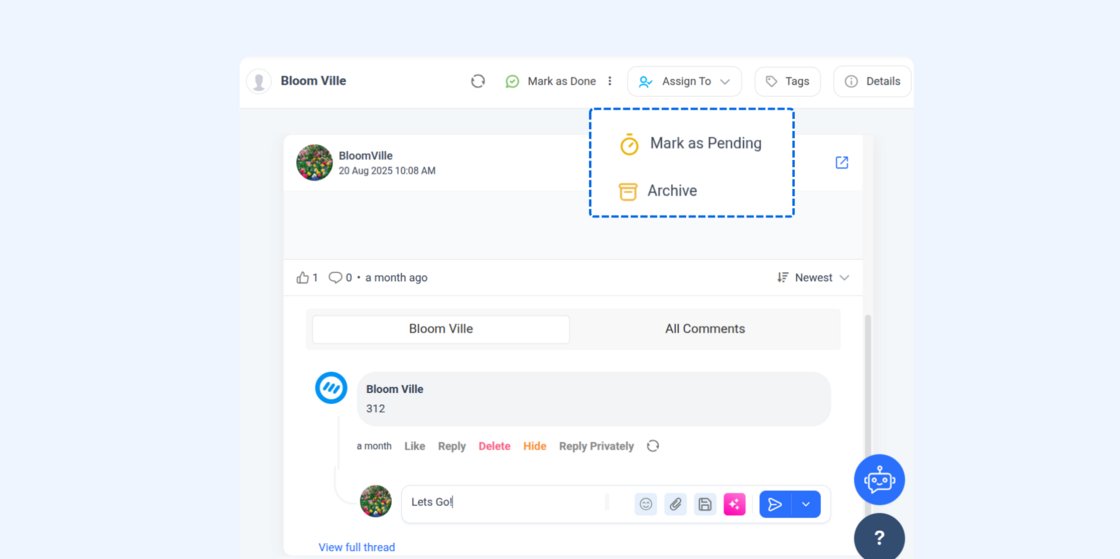
- Comment-level threads – View and reply within individual comment threads, making conversations easier to follow.
- More options menu – Use the three-dots dropdown next to Mark as Done to quickly mark conversations as Pending or Archived.
👉 Try it now in Inbox → Conversations
For more details, check: How to manage conversations in social inbox
Other Improvements and Fixes
- Overall UI/UX refinements and stability updates for a smoother and more reliable experience across the platform.
- Added TikTok branded content option in composer to label posts as your own brand or as third-party branded content.
- Added TikTok AI-generated content label in composer to indicate when content is AI-created.